
A rep is nine minutes into a discovery call when the prospect says they are also looking at Northwind. She opens the battlecard from the sales drive and says Northwind runs $49 a month per workspace and keeps SSO behind their top tier.
Both facts were true in February. Northwind moved to $39 a month plus $0.02 per unit five days ago, and SAML has been on their Team plan since spring. The prospect has a Northwind quote open, and corrects her.
Nobody wrote a bad card. Someone wrote a good card and then time passed. A stale battlecard and a current one look identical, so the rep had no way to know which she just read out loud. Writing the first card takes an afternoon; keeping six of them true through a year of pricing changes is the part that quietly fails.
A battlecard is a one-page internal brief on a single competitor that tells a sales rep what to say and ask against that rival, with every fact dated.
What you'll learn
- Where a battlecard stops and a competitive matrix or objection library starts
- The seven blocks a one-page card needs, and what to leave out
- A worked card against Northwind with sources and dates
- How to write an objection row: response, dated proof, and a trap question that reframes it
- Which blocks go stale in weeks and which hold for a year
- What to automate and what a human has to write
- How to refresh the recent-signals block from a change feed on a cadence reps follow
TL;DR: A battlecard is one page on one competitor, built from seven blocks: who they are, their price and packaging, where you win, where you lose, objection rebuttals, trap questions, and recent signals. Automate the factual blocks by watching public pages. Keep the judgment blocks human. Refresh monthly, and event-driven within 48 hours on pricing moves.
Defining the sales battlecard
A sales battlecard is one page about one competitor that a rep reads in the ninety seconds before a call and uses during it. It holds what to say, what to ask, and which facts are current. Everything else belongs in a different document.
Cards fail most often by absorbing jobs that belong elsewhere. Someone adds market sizing, someone pastes in the feature grid, and the card grows to three pages a rep opens once. The rule that keeps it useful: if a rep cannot act on it mid-conversation, it is not battlecard content.
| Artifact | Answers | Shape | Who reads it |
|---|---|---|---|
| Battlecard | What do I say and ask against this one rival? | One page, one competitor | A rep, mid-conversation |
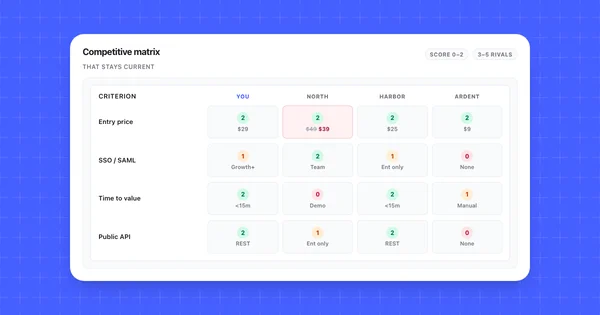
| Competitive matrix | How do we compare on the criteria buyers weigh? | Grid: competitors by criteria | Product, marketing, leadership |
| Objection library | How do we answer this pushback, wherever it comes from? | Objection and response pairs | Enablement, new hires |
| Win-loss report | Why did we win and lose last quarter? | Themes across closed deals | Leadership, PMM |
The matrix is the source of record and the card is the derivative. Pull the competitor's column out of the grid, add the parts a spreadsheet cannot hold, and the card agrees with your other competitive assets because it shares a source. How to build a competitor comparison matrix covers the rows, the scoring rule, and the provenance columns this card inherits.
One boundary is worth stating out loud: a card is written for an internal reader who is allowed to know where you are weak, which is why publishing one externally goes badly. What is competitive intelligence frames the discipline cards come from.
The seven blocks a one-page battlecard needs
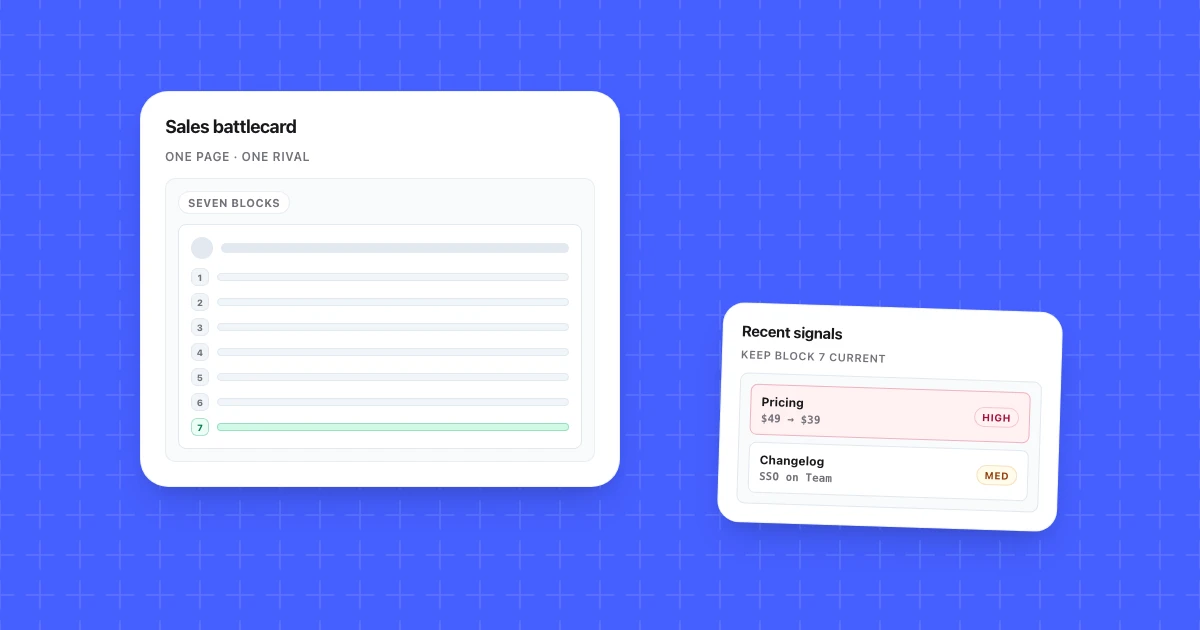
Seven blocks fit on one page and cover what a rep needs: who they are, price and packaging, where you win, where you lose, objection rebuttals, trap questions, and recent signals. Drop one and the card fails predictably. No "where you lose" block and reps get ambushed. No dates and reps quote stale prices.
| # | Block | What it holds | Source |
|---|---|---|---|
| 1 | Who they are | Their positioning and the buyer they win with, in two lines | Homepage, your lost deals |
| 2 | Price and packaging | Entry price, what meters, what gates behind which tier, dated | Pricing page and docs |
| 3 | Where you win | Two rows maximum, each with a provable fact | Matrix rows you score 2 |
| 4 | Where you lose | The rows they own, plus the honest answer | Matrix rows you score 0 or 1 |
| 5 | Objection rebuttals | Their three most common claims and your response | Call recordings, rep debriefs |
| 6 | Trap questions | Questions that surface their weakness without naming them | Block 4 and their pricing model |
| 7 | Recent signals | What changed in the last 30 days, dated | Change feed on their pages |
Product marketing owns blocks 1 through 4, sales writes 5 and 6, and blocks 2 and 7 come off a monitor. Two things stay off the card: feature checklists past four lines, and anything you could not say to a customer's face, since cards leak.
A worked card against Northwind
Northwind is the incumbent in our composite set: bigger, older, sells upmarket, wins on procurement comfort and loses on setup time.
1. Who they are. The safe enterprise choice. They win when procurement, IT review, and a support SLA matter more than being live this week.
2. Price and packaging (checked 2026-07-22, https://northwind.example/pricing)
| Fact | Value | Note for the rep |
|---|---|---|
| Entry price | $39/mo plus $0.02 per unit | Listed, changed 2026-07-21 |
| SSO / SAML | Included on Team | https://docs.northwind.example/sso |
| Public REST API | Enterprise only | Ask early if the buyer has a dev team |
| Data export | CSV, by support request | No in-app export |
| Support | 4-hour first response SLA, Team and above (checked 2026-06-02) | Their strongest block |
| Trial | Demo required before access | Your opening |
3. Where you win. Time to first result: under 15 minutes self-serve against their demo gate. Price predictability: your seat price is flat, their $0.02 per unit compounds as usage grows.
4. Where you lose, and the honest answer. They include SAML on Team; you gate it on Growth and above. Say it plainly: "SSO is on our Growth plan. If SSO is a launch requirement, that is the tier you want." They also hold a 4-hour SLA where you offer next business day. Do not invent an SLA on a call.
5. Objection rebuttals. "Northwind is cheaper" is true below roughly 500 units a month and false above it, so ask for the volume first. "Northwind is safer" is a procurement claim, so answer with your SOC 2 Type II status and dated security page.
6. Trap questions. What does your bill look like at three times this month's volume? When does your team need to be in the product, this week or after a demo? If you needed all your data out on a Friday afternoon, what does that take?
7. Recent signals. 2026-07-21: Team plan moved from $49/mo flat to $39/mo plus $0.02 per unit. 2026-07-09: homepage headline shifted toward compliance language.
Block 6 is the one reps thank you for, because it turns a pricing model into a question the buyer answers themselves.
Objection handling on a battlecard
Objection handling on a battlecard is blocks 5 and 6 working as one row: the objection, your response, a dated proof the rep can send, and a trap question that reframes the claim. It is sales objection handling narrowed to one rival, so every row answers something buyers actually hear from that rival.
Here is the Northwind price claim from the worked card, split into those four fields:
| Field | What goes in it | Northwind example |
|---|---|---|
| Objection | The claim, in the prospect's words | "Northwind is cheaper." |
| Response | One or two lines the rep can say in their own words | True below about 500 units a month, false above it. Ask for volume before arguing price. |
| Proof | A dated, sourced fact the rep can send | Northwind's pricing page, checked 2026-07-22: $39/mo plus $0.02 per unit since 2026-07-21 |
| Trap question | Asked early, so the buyer reframes the claim and does the math | "What does your bill look like at three times this month's volume?" |
The proof is the field that goes stale. If Northwind changes the per-unit rate, the response and the question break with it, which is why the proof carries a date and a URL instead of a number someone remembers. The same shape works when a rival closes a gap: Harborline listed SAML SSO as generally available on 2026-07-18, Enterprise plan only. The response concedes SSO, the proof is that changelog entry, and the question is which Harborline plan the buyer's quote assumes.
Klue's objection-handling battlecard guide lists three elements per card: "The type of objection", "What that competitor says", and "Points to counter the claim". It also says to "always link out to additional information or proof points to back up your story." Take the rows from real calls. Klue's advice is to "write down the objection verbatim AND write down the reps’ responses." Crayon's guide to competitive objections says to "dedicate a section for each claim", which keeps one objection per row.
The trap question is the part most cards skip. Crayon recommends questions a rep uses at the start of the sales process so the objection never comes up, for example putting costs into perspective early when price is the usual pushback. Its battlecards guide caps these trap questions, which both vendors call landmines, at "two to three high impact questions that highlight your competitor's gaps." Klue's landmines template says the aim is to give the prospect "the information necessary to confirm that this is a weakness" without explicitly calling out the competitor. It also mentions teams adding a "Why We Ask" line so the rep knows what each question is for.
Keep the response short and unscripted. A counterpoint the rep understands sounds better on a call than a memorized paragraph, and Klue's guide makes the same point about letting sellers use their own words.
Why battlecards go stale faster than anyone plans for
Battlecards go stale because the seven blocks age at different speeds while the document carries one version number. Block 1 holds for a year. Block 2 can be wrong the week after you publish, and the card gives its reader no signal that anything changed.
| Block | How fast it moves | Where it breaks first |
|---|---|---|
| Who they are | Yearly | Homepage headline, their comparison pages |
| Price and packaging | A few times a year, unannounced | Pricing page, sometimes docs limits first |
| Where you win | Monthly for fast shippers | Their changelog closing your gap |
| Where you lose | Quarterly, usually when you ship | Your own roadmap, not theirs |
| Objection rebuttals | Continuous | Call recordings, if anyone listens |
Blocks 6 and 7 are downstream of that table: trap questions break when block 2 moves under them, and recent signals are stale on arrival by design. Two mechanics make this worse. Price and packaging change without announcement, so nobody is prompted to look. And the card forks: a rep copies two lines into a CRM note, someone pastes them into a deck, and four versions of a stale price circulate with no way to recall them.
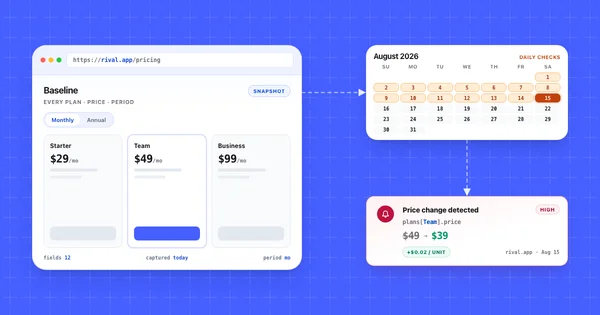
Pricing is the block worth engineering around, since it moves quietly and costs the most when wrong. How to monitor competitor pricing pages covers what to watch and the first 48 hours after a rival changes tiers.
What to automate and what stays human
Automate the blocks that are facts on public pages, and keep the blocks that require judgment about a live conversation. A price is a fact you can watch. A rebuttal is a sentence someone has to have said out loud to a real prospect.
| Block | Automate? | Why |
|---|---|---|
| 1. Who they are | Partly | A feed catches repositioning; a human decides what it means |
| 2. Price and packaging | Yes | Published, dated, changes without warning |
| 3. Where you win | Partly | A feed catches them closing a gap; the claim stays yours |
| 4. Where you lose | No | Needs to know what you will commit to |
| 5. Objection rebuttals | No | Comes from call recordings and rep debriefs |
| 6. Trap questions | No | Judgment about what a buyer answers honestly |
| 7. Recent signals | Yes | The block is a change feed with a date filter |
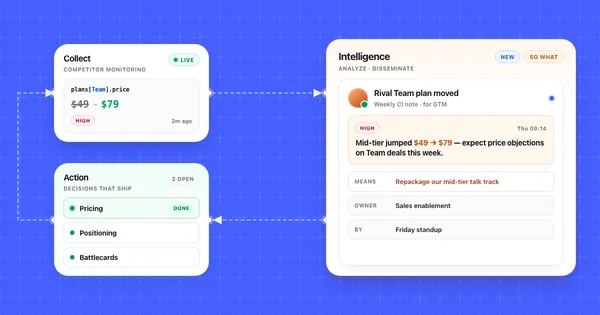
No monitoring tool writes the card. What a feed does is tell you which block to edit and when, which fixes the part that actually fails: noticing. Competiflow fits that job because a change record names the field that moved, so a pricing diff maps to block 2 and a changelog entry maps to block 3 without anyone rereading the page. Discovery seeds monitors from a homepage URL, covered in Competitors.
The right answer depends on how many cards you run.
Choose a page-monitoring feed if you maintain three to eight cards and the facts that break them live on pricing, changelog, and docs pages. You want the notification and the dated evidence, and you write blocks 4 through 6 yourself.
Choose an enterprise CI platform if you have a dedicated CI or PMM role, dozens of cards, and rep adoption is your real problem rather than freshness. Klue and Crayon host battlecard libraries, push them into Salesforce and Slack, and use AI to create and refresh card content. Neither publishes list pricing. As of October 2026, Vendr's buyer data (last updated February 2026) shows a $30,000 median annual contract for both Klue and Crayon, so both are sized for teams with a CI budget line.
Choose a shared doc and a calendar reminder if you have one or two competitors. Tooling for two cards is overhead. Best competitor monitoring tools for SaaS compares the middle option by detection model and cost.
Refresh the recent-signals block from a change feed
Pull the changes since your last review, then map each one to the block it invalidates. Block 7 is the output of that query, and blocks 2 and 3 are the edits it triggers. Filter to one competitor and a severity floor so you get card edits back rather than everything that moved:
curl "https://api.competiflow.com/v1/changes?workspace_id=42&competitor_id=7&since=30d&min_severity=medium&limit=25" \
  -H "Authorization: Bearer $COMPETIFLOW_API_KEY"
Response (200 OK), with composite competitor names over the live field shapes:
{
  "changes": [
    {
      "id": 901,
      "competitor_id": 7,
      "competitor": "Northwind",
      "monitor_id": 101,
      "monitor_type": "pricing",
      "severity": "high",
      "severity_score": 82,
      "summary": "Team plan moved from $49/mo flat to $39/mo plus $0.02 per unit",
      "why_it_matters": "Usage-based pricing undercuts your flat Team tier below 500 units per month and costs more above that crossover.",
      "opportunity_score": 68,
      "review_status": "unreviewed",
      "category": "pricing",
      "direction": "retreated",
      "delta": { "added": 0, "removed": 0, "modified": 2 },
      "created_at": "2026-07-21T06:12:00.000Z"
    },
    {
      "id": 898,
      "competitor_id": 9,
      "competitor": "Harborline",
      "monitor_id": 118,
      "monitor_type": "changelog",
      "severity": "medium",
      "severity_score": 54,
      "summary": "SAML SSO listed as generally available, Enterprise plan only",
      "why_it_matters": "Harborline now clears the IT review gate you have been winning on, though the Enterprise requirement keeps it out of mid-market deals.",
      "opportunity_score": 41,
      "review_status": "unreviewed",
      "category": "feature",
      "direction": "advanced",
      "delta": { "added": 1, "removed": 0, "modified": 0 },
      "created_at": "2026-07-18T06:04:00.000Z"
    }
  ],
  "has_more": false,
  "meta": {
    "counts": { "unreviewed": 2, "acknowledged": 19, "dismissed": 7 },
    "max_unreviewed_severity": "high"
  }
}
Two changes, four block edits. Change 901 rewrites Northwind's block 2 and resets the crossover number in their block 5 rebuttal, which keeps the volume trap question in block 6 pointed at a rate that still exists. Change 898 touches a different card: Harborline's SSO row moves off your block 3, but only for enterprise deals, and that qualifier is what a rep needs before conceding it.
When you need the exact field that moved before editing a price line, pull the evidence:
curl "https://api.competiflow.com/v1/changes/901?include=raw_diff" \
  -H "Authorization: Bearer $COMPETIFLOW_API_KEY"
{
  "change": {
    "id": 901,
    "competitor": "Northwind",
    "monitor_type": "pricing",
    "severity": "high",
    "field_diffs": [
      {
        "op": "modified",
        "change_type": "price_decrease",
        "path": "plans[Team].price",
        "tier": "alertable",
        "old": "$49",
        "new": "$39"
      },
      {
        "op": "modified",
        "change_type": "pricing_modified",
        "path": "plans[Team].period",
        "tier": "alertable",
        "old": "per month",
        "new": "per month, plus $0.02 per unit"
      }
    ],
    "evidence": {
      "captured_at": "2026-07-21T06:12:00Z",
      "previous_captured_at": "2026-07-20T06:11:00Z"
    },
    "source_url": "https://northwind.example/pricing",
    "raw_diff_available": true
  }
}
The path values are the useful part, because plans[Team].price is block 2 line one and plans[Team].period is why block 5 needs a new crossover number. Filters, cursors, and the rest of the evidence chain are in Changes.
Mark each change reviewed once the block is edited, so the unreviewed count reads as outstanding edits:
curl -X PATCH https://api.competiflow.com/v1/changes/901 \
  -H "Authorization: Bearer $COMPETIFLOW_API_KEY" \
  -H "Content-Type: application/json" \
  -d '{"review_status": "acknowledged"}'
For the monthly pass, the digest tells you which cards to open and which surface you stopped watching:
curl "https://api.competiflow.com/v1/workspaces/42/digest?period=30d" \
  -H "Authorization: Bearer $COMPETIFLOW_API_KEY"
Read two fields. The activity_map gives change counts per competitor per surface, so seven changes on Harborline against three on Northwind tells you which card needs a careful read. Then coverage: monitors_failing: 1 with failing_monitor_ids means a page you believe you are watching produced nothing, which is how block 2 ages for a quarter unnoticed. Failed checks are not billed, and each successful run debits one check. Monitor health is in Monitors; the full payload is in Digest.
If you work with an AI agent in Cursor or Claude Desktop, the Competiflow MCP server exposes the same calls, so you can ask for high-severity pricing changes since your last card review and draft the block edits in that session. See monitor competitors with AI agents.
Distribution and a refresh cadence reps actually follow
Put the card where the rep already is, stamp each block with the date it was checked, and keep one canonical copy. A card in a shared drive loses to a card in the CRM, because the rep is already in the CRM when the rival's name comes up.
| Channel | Fits | Fails |
|---|---|---|
| CRM, on the competitor field | In-deal reference, no context switch | Needs admin work; limited formatting |
| Sales wiki or enablement platform | Searchable, versioned, one copy | Only opened if reps have the habit |
| Slack channel with change alerts | Fast awareness of what moved | Not retrievable mid-call; scrolls away |
| PDF in a shared drive | Nothing | Forks on first download, cannot be updated |
Choose your CRM if reps meet competitors inside deals and you can get the field added. This is the default, since it removes the retrieval step.
Choose a wiki plus a Slack notification if you want one canonical page and a push channel for block 7. The wiki holds blocks 1 through 6, and the card links to the Slack thread instead of copying it.
Choose an enablement platform if rep adoption is measured and you need to know who opened which card before which deal. That reporting is the product you are buying.
The cadence that survives a quarter has two speeds. A monthly 20-minute pass per owner: read the unreviewed changes, edit the blocks they touch, restamp the dates, mark them acknowledged. Then an event-driven pass within 48 hours on any high-severity pricing change, since that is the window where a rep gets corrected on a call. Date each block rather than the card, because a rep who sees "price checked 2026-07-22" knows how hard to lean on it.
Six mistakes that make a battlecard go unused
Cards go unused when they run long, claim you win everywhere, omit dates, get written by someone who has never taken a competitive call, or have no refresh mechanism. Each kills adoption quietly, so the card sits in the wiki looking maintained.
It runs three pages. A rep has ninety seconds. Past one page they stop opening it and improvise, which is worse than a thin card because you no longer know what gets said in deals.
Every block says you win. With no honest "where you lose," the first rep ambushed on SSO stops trusting the whole document. Reps forgive a gap. They do not forgive walking into a call unprepared.
Facts without dates. An undated price cannot be defended or refreshed, and it is the fact most likely to be wrong. Date block 2 line by line and the card tells its reader when to verify.
Written by someone who has never been on a competitive call. PMM-only cards optimize the wrong blocks: long positioning, thin rebuttals, no trap questions. Pull blocks 5 and 6 from call recordings, then edit for length.
No refresh mechanism. The common failure. A card updated "as needed" is wrong within a quarter, and you find out when a prospect corrects your rep. Attach a monitor to the pages behind blocks 2 and 3.
Trash-talking the rival. Dismissive cards get screenshotted, and reps who repeat that tone lose credibility with buyers already using the product. Write every line as if the competitor's CEO will read it.
Frequently Asked Questions
What is a sales battlecard?
A sales battlecard (also written as a sales battle card) is a one-page internal document about a single competitor that gives a rep what to say, what to ask, and which facts are current for a live conversation. It covers the rival's positioning, price and packaging, where you win and lose, rebuttals, trap questions, and recent changes.
What should be on a competitor battlecard?
A competitor battlecard should hold seven blocks: who the rival is in two lines, price and packaging with a checked date, two places you win, the places you lose plus the honest answer, rebuttals to their most common claims, questions that surface their weakness, and dated signals from the last 30 days.
How long should a battlecard be?
A sales battlecard should be exactly one page long. A rep reads it in the ninety seconds before or during a call, and anything past one page gets skipped in favor of improvising. If a block will not fit, cut the feature comparison.
How often should battlecards be updated?
Battlecards need a monthly review pass plus event-driven updates within 48 hours of a high-severity pricing or positioning change. The blocks age at different speeds: the positioning line holds for a year, while price can be wrong within a week.
Why are battlecards always outdated by the time sales uses them?
Battlecards are outdated by the time sales uses them because the card carries one publish date while its blocks age at different speeds. Positioning holds for a year, but price and recent signals can change the week after you publish, and nothing on the card warns the rep. Put a checked date on the price block, name one owner, and watch the rival's pricing page so a change triggers an edit within 48 hours.
Who owns battlecards?
One named person owns each battlecard, usually in product marketing, with sales contributing the rebuttals and trap questions. Shared ownership means no ownership, because editing a card is never anyone's most urgent task.
Can battlecards be automated?
The factual blocks can be kept current automatically; the judgment blocks cannot. Price, packaging, and recent signals live on public pages a monitor can watch, so a change feed tells you which block to edit and when. The rebuttals and trap questions need someone who knows what you will commit to on a call.
What is the difference between a battlecard and a competitive matrix?
A battlecard covers one competitor in depth for a rep in a live conversation, while a competitive matrix compares several competitors across the same criteria. The matrix is the source of record, and the card is derived from one of its columns.
Is there a sales battlecard template I can copy?
The battlecard generator at the end of this page is a free sales battlecard template with fields for all seven blocks and a last-verified date, with sample text in every field. Edit the fields, check the live preview, then copy the Markdown or download a .md file. For a finished battlecard example with dates and sources, use the worked Northwind card above.
What tools do you use to create battlecards?
Draft the seven blocks in the generator, then paste the Markdown into the tool reps already open (CRM or sales wiki). Use a monitoring tool to keep the factual blocks current. Enterprise CI platforms like Klue and Crayon host battlecard libraries and push them into Salesforce and Slack, which fits teams with a dedicated CI role.
A battlecard earns its place by being true on the day a rep opens it, which is a maintenance property more than a writing one. Seven blocks on one page, honest about where you lose, dated at the line level.
Then split the work by what each block is. Facts on public pages get a monitor and a monthly pass. Judgment about live conversations gets a person who has been on those calls. When a prospect brings up Northwind, your rep quotes the price Northwind charges today.