
Search for "competitor monitoring tools" and you get one ranked list mixing Visualping, Klue, and half a dozen others, as if a page-change watcher and a sales enablement platform with a five-figure annual contract solved the same problem. They don't, and picking the wrong one wastes a quarter's budget either way: too much tool for a five-person startup, or too little structure for a sales team that already lives in battlecards.
This guide sorts competitor monitoring tools into three jobs instead: website change monitors, enterprise competitive intelligence platforms, and purpose-built structured monitoring. It compares Visualping, Distill, Hexowatch, Klue, Crayon, Kompyte, Contify, and Competiflow against the same two tests, a changed pricing row and a new changelog entry, and ends with a verdict matrix instead of a single ranked winner. It also shows where competitor analysis tools like Semrush, Ahrefs, and Similarweb fit, since they answer a different question.
Whether you call this category competitor monitoring software, competitive monitoring tools, competitor tracking tools, or competitive intelligence platforms, the buying decision works the same way: match the tool to the job, then compare inside that lane.
What you'll learn
- How competitor monitoring tools split into three jobs, and why a single ranked "best of" list mixes incompatible products
- A comparison table covering Visualping, Distill, Hexowatch, Klue, Crayon, Kompyte, Contify, and Competiflow side by side, plus a map of SEO, traffic, social, and tech-stack tools by the question each answers
- Why pixel and raw HTML diffs create alert noise, illustrated with a pricing-row test and a changelog test you can run yourself
- How subscription-seat contracts differ from monthly check allotments, with real numbers where vendors publish them or buyer data exists
- A "Choose X if" verdict matrix instead of one ranked winner
- When enterprise CI earns its budget, and when it is overkill for a small team
- Whether an AI agent can monitor competitors today through an API or MCP server
TL;DR: No single best competitor monitoring tool exists. Visualping, Distill, and Hexowatch fit page-change alerts. Klue, Crayon, and Kompyte fit sales teams with formal battlecard programs. Competiflow fits teams that want field-level pricing and changelog changes with evidence and optional agent access. Match the category first, then compare inside it.
How the competitor monitoring tool market breaks down
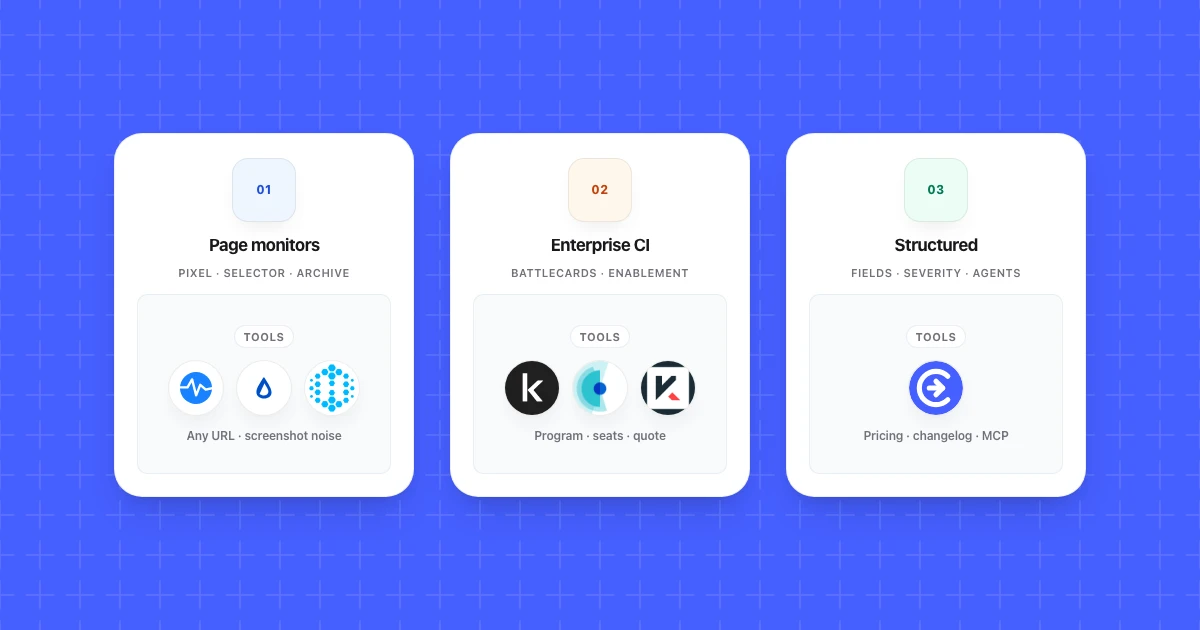
Competitor monitoring tools split into three jobs: watching pages for changes, running a formal competitive intelligence program, and giving an AI agent structured access to monitoring data. Judge a tool against the wrong job and even a well-built product looks like a poor fit.
Website change monitors (Visualping, Distill, Hexowatch) watch specific URLs, usually a pricing page or a changelog, and alert you when the rendered page or a selected region changes.
Enterprise competitive intelligence platforms (Klue, Crayon, Kompyte, and market intelligence platforms like Contify) turn raw signal into a program: curated battlecards, win-loss input, and distribution to a sales team that did not do the research themselves.
Purpose-built structured monitoring (Competiflow) sits between the two. It diffs normalized fields instead of pixels, attaches interpretation and evidence to each change, and exposes those field-level changes as JSON through an API or MCP server.
A tool built for one job rarely does the others well. Visualping will not draft a battlecard, and Klue was not built to catch a $10 pricing change by Thursday morning. Once you know which job you are hiring for, four questions separate the strong options from the weak ones inside that category.
Signal quality. Does the tool flag the plan row that changed and skip the cookie banner, or does every layout shift count as news?
Evidence. You should see the old value, the new value, and a source URL attached to a change, not a notification that only says something moved.
Workflow fit. The output needs to land where the right person already works: a founder scanning a weekly digest, a PMM checking one pricing row, or an agent calling an API for the next step.
Cost. Seat counts, check allowances, and "contact sales" quotes behave very differently once your team and monitoring volume are real, and enterprise quotes often hide onboarding and analyst time that never appears on a pricing page.
For where monitoring ends and competitive intelligence begins, see what competitor monitoring includes. Competitor analysis tools such as Semrush and Similarweb form a fourth group. They answer research questions about a rival's market position, and the section after the comparison table sorts them by the question each one answers. The rest of this guide then compares real products inside each category, starting with a table you can scan before reading the detail.
Competitor monitoring tools compared at a glance
The table below covers the eight monitoring and CI tools in this guide across category, signal model, and pricing, so you can shortlist candidates before reading the deeper sections. No product wins every row, and that is the point.
| Tool | Category | Signal and evidence model | Pricing | Choose it if | Main limitation |
|---|---|---|---|---|---|
| Competiflow | Structured monitoring, agent workflows | Field-level diffs, severity, plain-language summary, source evidence | Monthly check allotments (one check = one page read), not seats; free trial, then plans from $19/month | You want interpreted pricing or changelog changes with evidence, or field-level JSON an agent can read over API/MCP | Not a battlecard or sales-enablement system |
| Visualping | Website change monitor | Visual and text change detection with AI summaries and an important-or-not flag | Free tier (5 pages, 150 checks/month); as of October 2026, Personal from $14/month billed monthly ($10/month billed annually), Business from $140/month ($100/month billed annually); Solutions quoted per deal | You want broad, self-serve page-change alerts | Page-level diffs leave more triage to you than field-level interpretation |
| Distill | Website change monitor | User-defined selectors on page regions, version history on paid plans | Free tier (25 monitors, 5 in the cloud, 1,000 cloud checks/month); Starter $15/month, Professional $35/month, Flexi from $80/month | You are comfortable maintaining selectors and want a flexible, low-cost monitor | Selectors break on redesigns; upkeep is manual |
| Hexowatch | Website change monitor | 13 monitor types: visual, content, HTML element, keyword, source code, and more | Free plan; as of October 2026, Hexowatch OR:ON paid plans run $15/month (Personal) to $190/month (Scale) billed monthly, 30% less billed yearly; custom tier above that | You want one tool watching prices, stock, and keywords across many pages | Breadth over depth; not built for CI program governance |
| Klue | Enterprise CI | Curated competitive content, internal inputs, AI-assisted battlecards | Quote-only; Vendr median $30k/yr (range $16k-$60k, Feb 2026) | A mature CI or PMM team needs battlecards and rep adoption at scale | Overkill, and over budget, for catching one pricing change |
| Crayon | Enterprise CI | Multi-source signal collection, battlecards, and an AI research agent | Quote-only; Vendr median $30k/yr (range $12.7k-$46k, Feb 2026) | Your CI program needs broad collection plus sales enablement | Implementation and pricing skew enterprise; long sales cycle |
| Kompyte (by Semrush) | Enterprise CI | Automated competitor tracking tied to battlecards | Quote-only; priced by competitors tracked + user licenses | You already use Semrush and want CI from the same vendor | Per-competitor and per-user pricing adds up as programs grow |
| Contify | Market intelligence | Broad multi-source curation (news, filings, hiring signals) across many tracked entities | Quote-only; no public figures | You track dozens of entities across a market, not just three or four named rivals | Built for breadth, not field-level evidence on one pricing page |
Competitive analysis tools vs competitor monitoring tools: which one answers your question?
Competitive analysis tools answer research questions about a rival's market position, such as its keywords, traffic, social reach, or tech stack. Competitor monitoring tools watch specific competitor pages and report what changed on them, such as a price or a new changelog entry.
Both kinds show up in the same ranked lists, which is how a Semrush subscription ends up on a shortlist for watching a pricing page. The table below sorts the common ones by the question each answers and how much it overlaps with page monitoring.
| Category | Question it answers | Example tools | Overlap with monitoring |
|---|---|---|---|
| SEO and keywords | Which keywords, rankings, and backlinks does a rival have? | Semrush, Ahrefs | Low: tracks rankings over time, not edits to a pricing or changelog page |
| Traffic and market | How much traffic does a rival's site get, and how does it compare with the market? | Similarweb | Low: estimates and benchmarks, no page-level change record |
| Social listening | What are people saying about competitors, and what is their share of voice? | Sprout Social | Low: watches social conversations, not the competitor's site |
| Email capture | Which marketing emails do competitors send to their lists? | Owletter | Medium: launch and promo emails can announce a change that also lands on a page |
| Tech stack | Which technologies does a competitor's site run? | Wappalyzer, BuiltWith | Medium: Wappalyzer reports stack changes, one narrow kind of monitoring |
| AI-search visibility | How often do AI answers in ChatGPT or Google AI Mode mention or cite a brand? | Semrush AI Visibility Toolkit, Profound, AirOps | Medium: tracks prompts over time, but watches AI answers instead of competitor pages |
The analysis tool tells you where a rival wins attention. The monitor tells you the day its Team plan moves from $49 to $79.
Do you need Semrush or Ahrefs to monitor competitors?
You don't need Semrush or Ahrefs to monitor competitor pages. They show which keywords a competitor ranks for, its backlinks, and its estimated traffic, which helps with SEO and content planning, but they won't report a changed pricing row or a new changelog entry.
If organic search is a real acquisition channel for you, an SEO suite earns its place next to a monitor. If you only need to know when a rival changes pricing or ships a feature, a page monitor covers that job by itself.
Website change monitors: Visualping, Distill and Hexowatch
Website change monitors watch specific URLs, most often a pricing page or a changelog, and alert you when the page or a selected region changes. Visualping, Distill, and Hexowatch are the three most established options, and they differ mainly in how they detect a change and how much setup they expect from you.
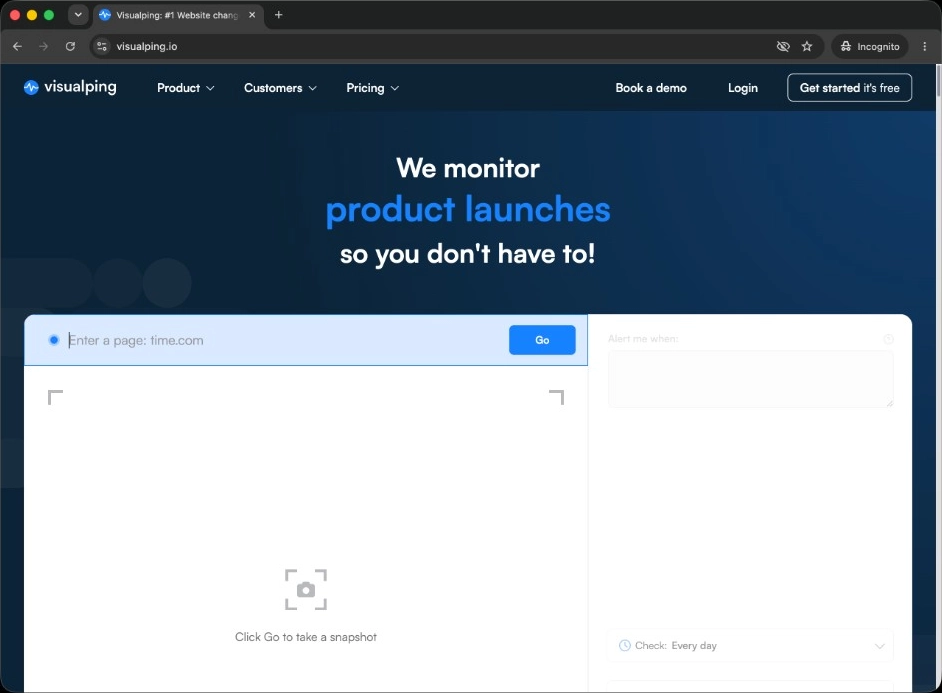
Visualping takes a snapshot approach: you point it at a page, and it alerts you when the page changes visually or in its text, with an AI-generated summary and an important-or-not flag on every alert. The free tier covers 5 pages and 150 checks a month. As of October 2026, Visualping's pricing page lists Personal plans from $14/month billed monthly or $120/year ($10/month), and Business plans, which add team workspaces plus Slack and Microsoft Teams alerts, from $140/month or $1,200/year ($100/month). Solutions plans are quoted per deal. Visualping fits teams that want broad, self-serve visual coverage without configuring selectors. The trade-off is triage: a reshuffled cookie banner and a price increase can render as the same kind of alert until a person opens the screenshot.
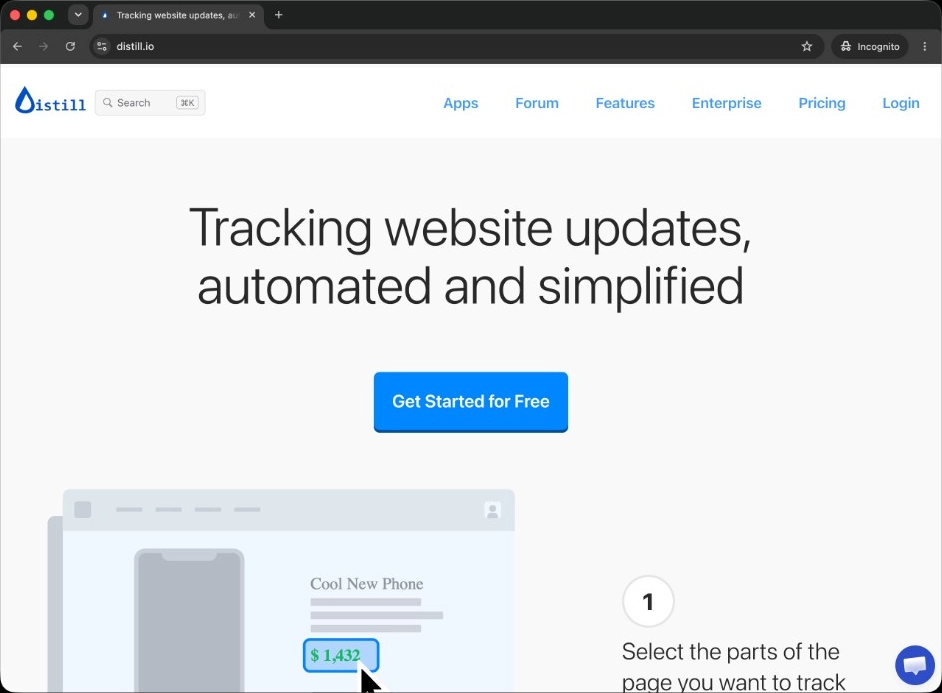
Distill lets you define selectors on the exact page region you care about, run monitors locally through a browser extension or in the cloud, and keep a version history per monitor on paid plans. The free tier covers 25 monitors, 5 of them in the cloud, with 1,000 cloud checks a month at a 6-hour minimum interval. As of October 2026, Distill's paid tiers are Starter ($15/month, 30,000 cloud checks), Professional ($35/month, 100,000), and Flexi (from $80/month, with pay-as-you-go pricing for extra monitors, checks, or SMS alerts beyond the base allotment). Distill fits technical buyers willing to maintain selectors in exchange for flexibility and a low entry price. On SaaS pricing tables that redesign or A/B test often, selector upkeep becomes a real, recurring task.
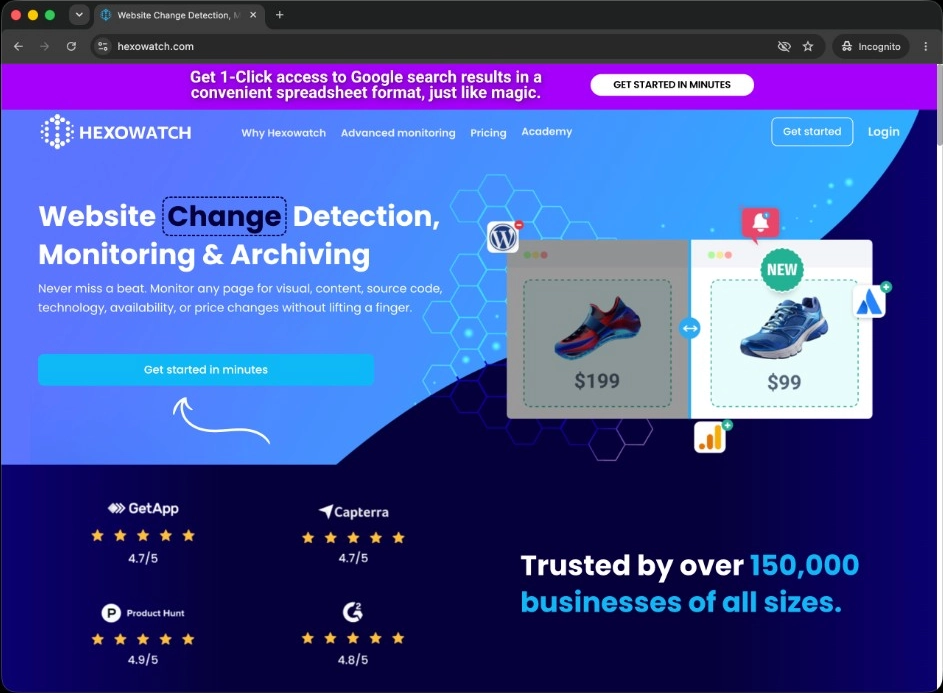
Hexowatch takes the broadest approach: its site lists 13 monitor types covering visual, content, HTML element (price or availability), keyword, source code, technology stack, sitemap, and more. Its pricing link now leads to Hexowatch OR:ON, the newer product line it describes as "AI website monitoring that explains every change." As of October 2026, the OR:ON pricing page lists a free plan with no credit card, Personal at $15/month billed monthly ($10.50/month billed yearly), Plus at $55/month ($38.50/month yearly), Scale at $190/month ($133/month yearly), and a custom tier. An optional paid add-on adds residential proxy access for pages that block standard requests. Hexowatch fits teams that want one tool watching price, stock, and brand-keyword changes across a wide page set, not only pricing tables. Its breadth comes at the cost of CI program depth: it will not curate a battlecard or manage sales adoption.
Choose Visualping when broad, self-serve visual alerts are enough and you do not mind triaging screenshots. Choose Distill when you are comfortable maintaining selectors for a flexible, inexpensive monitor; if those selectors keep breaking, the Distill Web Monitor alternatives guide compares hosted options. Choose Hexowatch when you want one tool across more change types than pricing alone. All three let you point at a real page within minutes; how each one classifies a genuine plan-price change against a cookie-banner refresh is the real test, covered next.
Enterprise competitive intelligence platforms: Klue, Crayon and Kompyte
Enterprise CI platforms turn competitive signal into a program: curated battlecards, win-loss input, and distribution to a sales team, not just an alert when a page changes. Klue, Crayon, and Kompyte are the three most common names in this segment, and none of them publish list pricing. For side-by-side shortlists, see Klue alternatives and Crayon alternatives.
Klue targets CI and PMM teams running formal battlecard programs, with an AI research and deal assistant (Compete Agent) and integrations into Salesforce, Slack, Gong, and Microsoft 365. There is no self-serve tier; every deal runs through a demo and a custom quote. As of October 2026, Vendr's buyer data puts the median Klue contract at $30,000 a year, with deals ranging from $16,000 to $60,000 across 108 purchases (last updated February 2026). Vendr also says Klue prices per user. Klue is a poor fit when the actual job is knowing that a pricing row changed by Thursday.

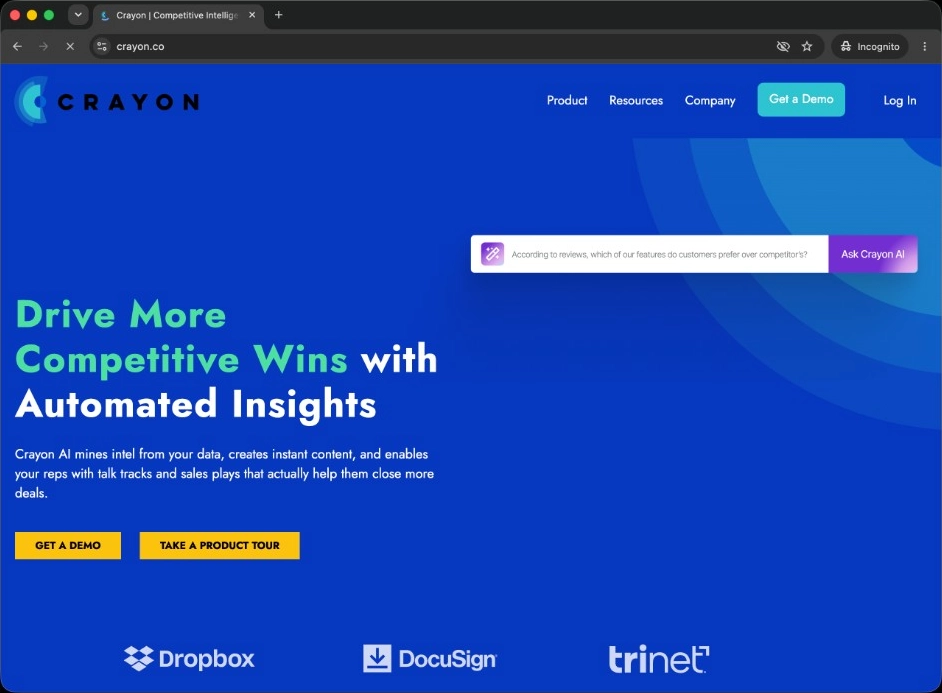
Crayon collects signal from many sources, pricing pages, job postings, press releases, and organizes it into battlecards and newsletters for sales and marketing stakeholders. Its Sparks agent analyzes that intel and drafts updated sales content inside that program. Crayon does not publish prices; its pricing page asks you to request an estimate. As of October 2026, Vendr's buyer data puts the median Crayon contract at $30,000 a year, with deals ranging from $12,700 to $46,000 across 93 purchases (last updated February 2026). It fits organizations that want broad collection tied to a formal enablement program, and it is a longer sales cycle than a small team usually wants.
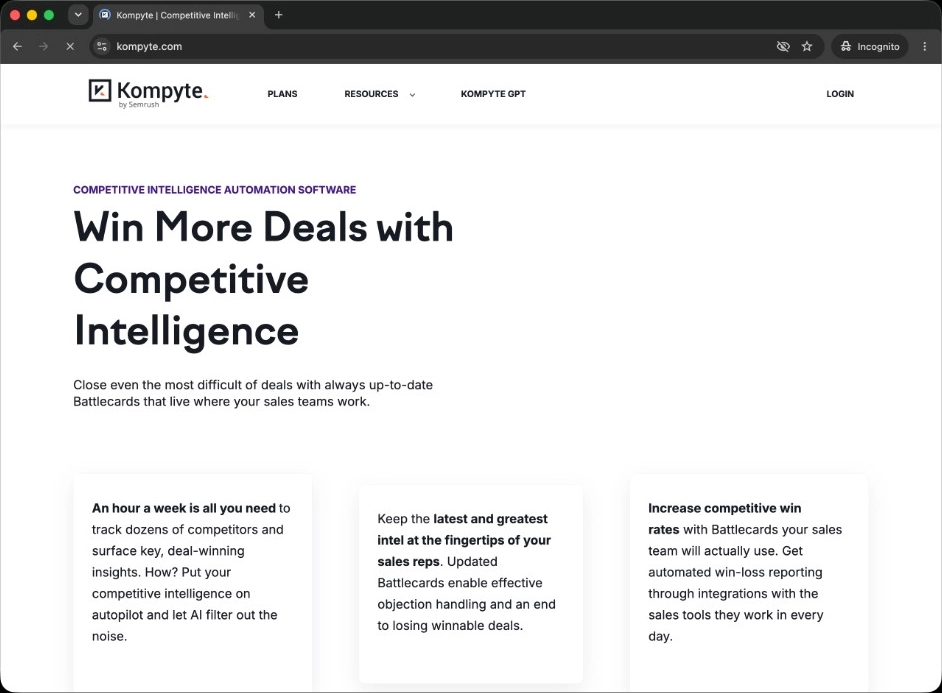
Kompyte has been part of Semrush since March 2022, and Semrush has been a wholly owned Adobe subsidiary since April 28, 2026. It automates competitor tracking tied to battlecards and CRM-adjacent workflows. As of October 2026, Kompyte's plans page lists three tiers with no prices: Essentials (10 companies tracked, 25 user licenses), Professional (20 companies, 100 licenses), and Unlimited. Kompyte says price depends on the number of competitors tracked, the number of user licenses, and whether you need SSO and advanced permissions. Kompyte fits teams already inside the Semrush ecosystem. Its seat-and-competitor pricing adds up quickly for a program that keeps expanding its watchlist.
Choose Klue or Crayon when a dedicated CI or PMM function needs battlecards and governance across a sales organization. Choose Kompyte when you are already a Semrush customer and want CI from the same vendor. None of the three replace a page monitor when the job is simply proving that a pricing row changed.
Market intelligence platforms: AlphaSense, CB Insights and Contify
Market intelligence platforms search filings, news, research, and company databases across a whole market, where a page monitor watches a few named rivals. AlphaSense, CB Insights, and Contify are the three covered here, and none of them publishes a price list.
AlphaSense is a market-intelligence search platform covering more than 500M financial and business documents, including company filings, broker research, and Tegus expert transcripts, with live expert calls available.
CB Insights covers more than 13M company profiles with funding, valuation, venture, and M&A data.
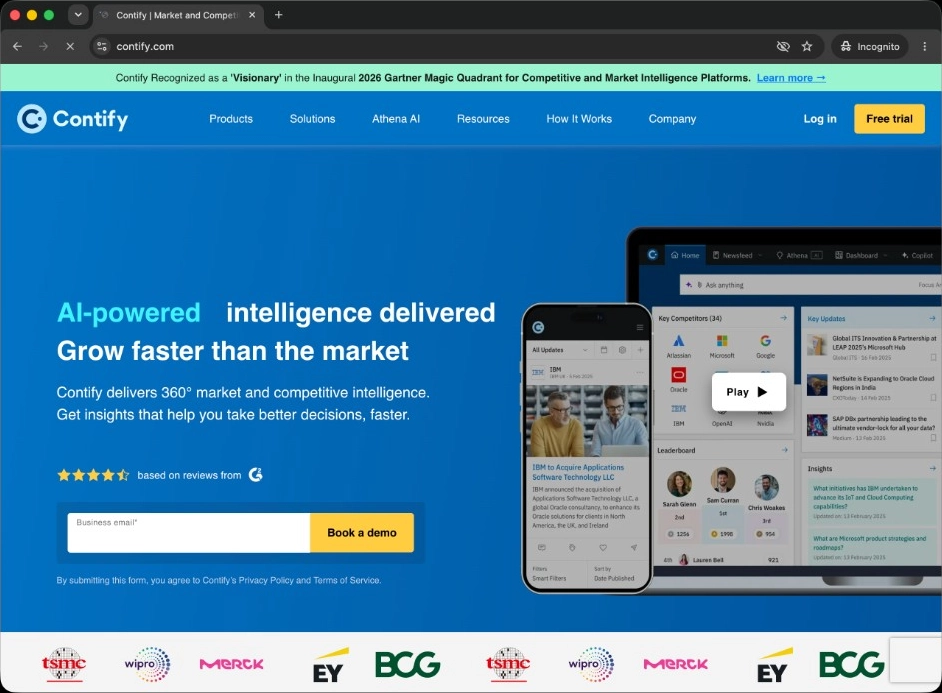
Contify is a market-intelligence platform that curates many sources across many tracked entities, closer to a research feed than a page monitor. As of October 2026, it says it monitors more than 1M sources, including company websites, news, SEC filings, social media, job postings, and reviews, in 117+ languages, and integrates with Slack, Microsoft Teams, Salesforce, and Snowflake. It fits teams tracking a market broadly, not three or four named rivals closely.
Pick one of these when the question is what is moving across a market: who raised money, which filings mention your category, which companies are entering it. For a price change on one rival's pricing page, a monitor is the faster answer.
Purpose-built structured monitoring: Competiflow
Competiflow sits between website change monitors and enterprise CI suites. It diffs normalized fields instead of pixels or raw HTML, attaches interpretation and evidence to each change, and prices by checks instead of seats.
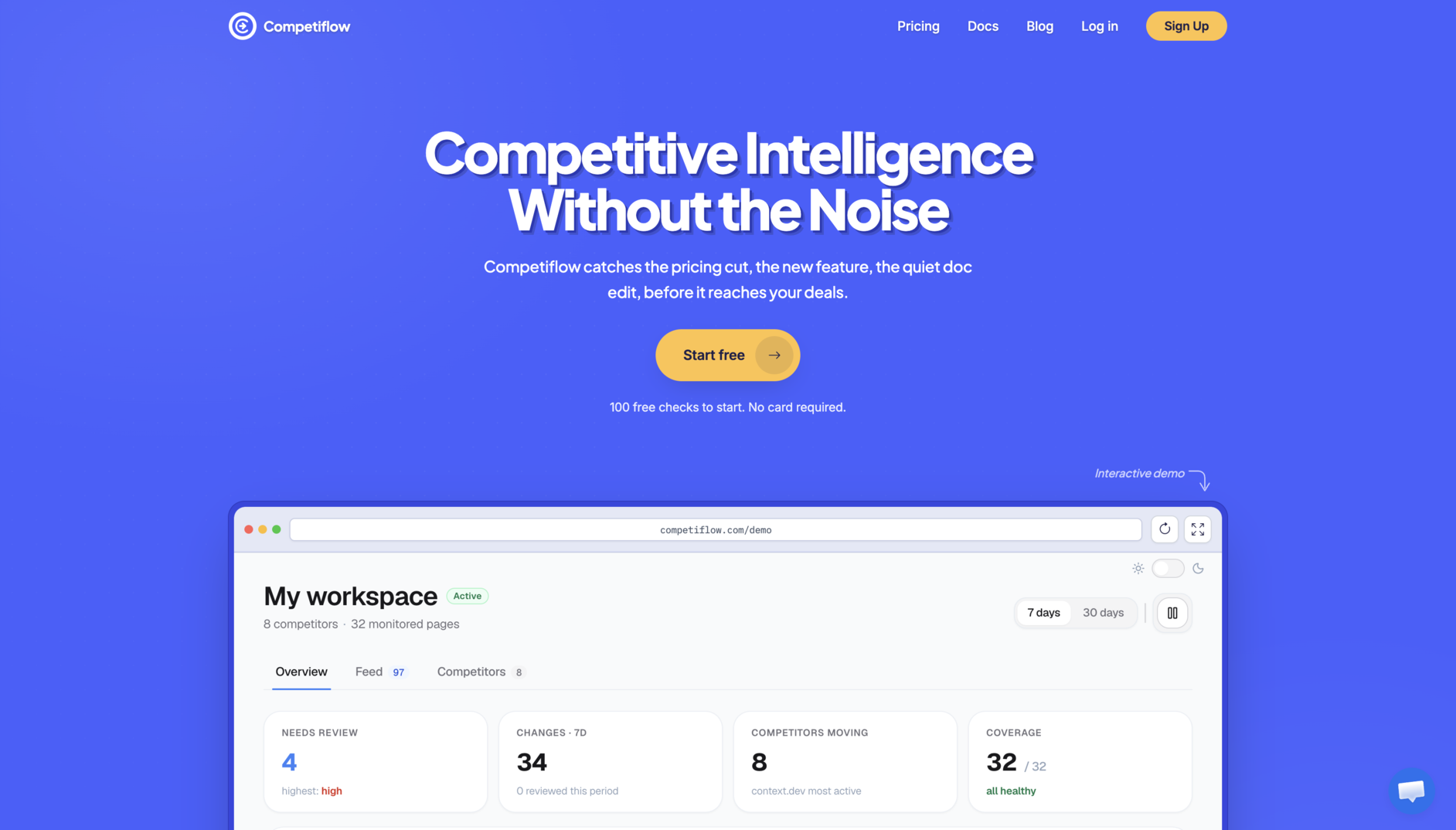
Workspaces group competitors for one product or market. Point discovery at a competitor homepage and it finds pricing, changelog, docs, blog, and homepage monitors instead of you guessing URLs by hand. Monitors run on a cadence you set, daily on the trial and Starter plan, faster on Growth and Pro, and each successful read debits one check whether or not the page changed. When a monitored field moves, Competiflow creates a change with severity, a plain-language summary, why it matters, and the old and new value as evidence, not just a notification that something moved.
The free trial includes 100 checks, up to 3 competitors, and up to 15 monitors. Starter starts at $19/month for 2,000 checks, Growth at $49/month for 5,000 checks with SEO opportunity scoring on new content, and Pro at $99/month for 10,000 checks with hourly cadence. Every tier is a fixed monthly check allotment, not seats, so adding a second or third rival does not require a new procurement conversation. If checks run out, monitors pause instead of running up overage charges.
Competiflow is honest about what it is not. It does not replace a battlecard system, win-loss analysis, or a dedicated CI analyst function, and it is not built for broad keyword or traffic research across a market. It focuses on one job: catching the field-level changes that matter on the surfaces PMMs, founders, and RevOps actually watch, with evidence attached and an API or MCP server for teams that want an agent to read the feed. That combination, structured fields plus check-based pricing, is also what separates it from the pixel and raw HTML diffs the next section breaks down.
Pixel diffs vs field-level diffs: the signal-to-noise problem
Most competitor alert noise comes from diffing the wrong layer of the page. Pixels and raw HTML change constantly for reasons that have nothing to do with pricing or positioning, while field-level diffs isolate only the values you actually track.
Take a pricing-tier scenario. Say a competitor, call it Northwind, raises its Team plan from $49 to $79 per month. A pixel or visual monitor re-screenshots the whole pricing table and flags a difference, the same way it would flag a reshuffled cookie banner, a new hero image from an A/B test, or a chat widget that loaded a beat later than last time. You still have to open the page and find the one row that matters. A raw HTML diff is not much better: modern pricing pages are JavaScript-heavy, so script tags, data attributes, and timestamps churn on every load whether or not a human-visible price changed.
A field-level diff extracts plans[Team].price as a normalized value first, then compares it to the last snapshot. Nothing fires until that specific field changes, and when it does, the change record carries the old value, the new value, and a severity you can act on without opening a screenshot:
{
  "summary": "Team plan raised from $49 to $79/mo",
  "severity": "high",
  "field_diffs": [
    {
      "op": "modified",
      "change_type": "price_increase",
      "path": "plans[Team].price",
      "tier": "alertable",
      "old": "$49",
      "new": "$79"
    }
  ]
}
That shape matches Competiflow's changes API. Other structured monitors should give you something comparable: an old value, a new value, and a source URL, even if the field names differ.
Now the changelog scenario. Northwind ships a changelog entry announcing a new SOC 2 report request flow. A pixel or raw HTML monitor watching the changelog index page fires on every visit, because a sidebar widget, a related-posts list, or a timestamp string changes independently of new entries. A field-level or structured approach isolates the new entry's headline and body text as the diff and ignores the sidebar entirely, so the alert reads "new changelog entry: SOC 2 report requests" instead of "changelog page changed."
Test it yourself before you buy. Point any finalist at one real competitor pricing page and one changelog page. Wait for, or trigger, a genuine change on each, and count how many unrelated alerts fire alongside it. That two-scenario test tells you more about signal quality than a feature checklist.
Signal quality is not free. Field-level extraction requires a defined schema per page type, which is part of why structured monitors and enterprise CI suites price differently than a generic page watcher, covered next.
How pricing models differ: subscription seats vs check-based plans
Competitor monitoring tools bill in three different ways: flat tiers based on page count and check frequency, seats and contracts negotiated per deal, or check-based plans where a monthly allotment of page reads sets the price. Which model fits depends on how many rivals you track and how fast that number grows.
Website change monitors mostly sell flat monthly tiers gated by page count and check frequency. Visualping's free tier covers 5 pages at 150 checks a month; paid plans raise that ceiling and shorten the check interval. As of October 2026, Visualping's pricing page lists Personal from $14/month billed monthly ($10/month billed annually) and Business from $140/month ($100/month billed annually). Distill follows a similar shape: a free tier with tight caps, then tiers priced by cloud checks per month and minimum interval. Add pages frequently and you eventually outgrow a tier, not because a person joined the team, but because you added a URL.
Enterprise CI platforms sell annual contracts priced by seats, tracked competitors, and feature tier, disclosed only after a sales call. Klue, Crayon, and Kompyte publish no rate card. As of October 2026, Vendr's buyer data puts the median Klue and Crayon contract at $30,000 a year (Klue deals range from $16,000 to $60,000, Crayon from $12,700 to $46,000). Kompyte prices by competitors tracked and user licenses, and Contify publishes no figures. That model makes sense when a dedicated CI function needs board-level budget certainty. It punishes a small team that only wants to add a fourth competitor, since a new rival can mean a licensing conversation.
Check-based plans, Competiflow's model, price the unit of work, one page read, regardless of who reads the results afterward. Each plan is a fixed monthly allotment: Starter runs $19/month for 2,000 checks, Growth $49/month for 5,000, and Pro $99/month for 10,000, with the free trial covering 100 checks, up to 3 competitors, and up to 15 monitors. There are no overage charges; if checks run out, monitors pause until the next period, a top-up, or an upgrade. Adding a second or fifth rival uses more checks within the plan's monitor cap (20, 50, or 100 monitors), not a new seat or a renegotiated contract. See billing and checks for how cadence turns into a monthly check count.
None of these models is wrong. Flat tiers are simple to budget for a handful of pages. Seat-based contracts fund the analyst labor an enterprise program needs. Check-based plans reward teams that want to add rivals without a procurement step. Match the model to how often your competitor list actually changes.
Setup complexity and time to first useful signal
Setup time ranges from minutes to weeks depending on category. Website monitors can watch a single page the same day, structured monitoring adds a short discovery step, and enterprise CI platforms typically start with a sales cycle and an onboarding project.
Website change monitors are the fastest to a first alert. Paste a URL into Visualping, Distill, or Hexowatch, pick a region or monitor type, and the first check runs within minutes. The time cost shows up later: Distill's and Hexowatch's selector- or field-based monitors need periodic maintenance when a competitor redesigns a page, and Visualping's visual diffs need a person to triage which changes are cosmetic.
Competiflow adds one extra step, discovery, in exchange for less manual URL-hunting later. Point it at a competitor homepage and it finds pricing, changelog, docs, blog, and homepage monitors instead of you listing pages by hand. Discovery is asynchronous and usually finishes in a few minutes, not seconds, and the first check on each monitor only sets a baseline; it has nothing to compare yet, so it won't read as a change. Day one is often quiet by design. A useful signal shows up on the next check that finds a real diff against that baseline, typically within a day on the default cadence.
Enterprise CI platforms are the slowest to a first useful signal, because the product is not really software you self-serve into. Klue, Crayon, and Kompyte are demo-only, and a rollout includes competitor-list curation, integration setup with Salesforce and Slack (plus Gong for Klue and Crayon), and battlecard creation before the first battlecard reaches a sales rep. Kompyte says its full implementation takes one to two weeks. Budget time for the program around it, the competitor list and the first battlecards, on top of the software setup. It is a reasonable trade when the goal is organization-wide adoption across a sales team, a slower payoff than a single alert but a bigger one.
Weigh setup time against how urgently you need the first signal. A startup watching one launch page cares about day one. A 50-person sales org rolling out battlecards cares more about quarter three.
Choose the right competitor monitoring tool for your team
The fastest way to choose is to match your situation, not a feature list, to one row below.
| Your situation | Choose | Because |
|---|---|---|
| A 2-10 person startup watching 2-5 rivals' pricing and changelogs |
Competiflow | Field-level diffs and evidence without per-seat pricing or a dedicated CI analyst |
| Comfortable maintaining selectors Want the lowest-cost flexible monitor |
Distill | Free tier plus low-cost paid tiers Selectors you fully control |
| After broad, self-serve visual alerts across many pages with no setup curve |
Visualping | Established visual monitoring model Free tier for 5 pages; Slack and Teams on Business plans |
| Watching price, stock, keywords, and code across a wide page set, not just pricing |
Hexowatch | 13 monitor types built for breadth across affiliate, ecommerce, and brand use cases |
| Running a mature CI or PMM function that needs battlecards and rep adoption |
Klue or Crayon | Battlecard workflows, CRM integrations Analyst-grade multi-source collection |
| Already a Semrush customer who wants CI from the same vendor |
Kompyte | Semrush product and account relationship Priced by competitors and user licenses |
| Tracking dozens of entities across a market instead of three or four named rivals |
Contify | Broad multi-source curation built for market intelligence, not one pricing page |
| Building an AI agent that should read and triage competitor changes itself |
Competiflow for field-level JSON; Visualping if page-level changes over its API or MCP server are enough |
Structured JSON output an agent can query not a dashboard only a human opens |
Which surfaces does it read? List the competitor surfaces you care about first, then check each finalist's own list, because coverage differs more than feature pages suggest. Page monitors read whatever URL you point them at. Crayon says it tracks website changes, pricing updates, job postings, release notes, support documents, customer reviews, SEC filings, and press releases, Kompyte lists websites, review sites, blogs, app stores, financials, and job postings, and Klue's own summary lists competitor sites, pricing pages, news, CRM data, and call recordings from Gong, Chorus, and Zoom. Competiflow discovers pricing, changelog, docs, blog, and homepage pages. Tech stack belongs to Wappalyzer or BuiltWith.
No row wins for every team. A real evaluation should still include the pricing-row and changelog tests from the sections above before you commit budget.
When enterprise CI is the right call (and when it's overkill)
Enterprise CI earns its budget when a sales organization is large enough that battlecards need a dedicated owner, formal distribution, and measurable adoption. It is overkill when the actual job is knowing that a pricing row changed by Thursday.
In our view, Klue, Crayon, and Kompyte make sense for a sales org north of roughly 30 to 50 reps, where competitive losses are common enough that a PMM or competitive-enablement lead can justify owning the program full time. The value is not the monitoring; it is governance: one source of truth for talk tracks, adoption tracking so leadership can see who actually opens a battlecard before a call, and integrations that put that content inside Salesforce or Slack (and Gong, for Klue and Crayon) instead of a wiki nobody visits. Crayon and Klue both now push that content into general AI assistants too, which is a real advantage once the underlying program already has analyst attention behind it.
The same suites are overkill for a five-person startup or a founder tracking three rivals. The signal a small team actually needs, a changed price, a new enterprise tier, a repositioned headline, does not require a five-figure annual contract, a sales cycle, or an implementation project. It requires a monitor that reads the right pages on a schedule and reports what changed. Buying enterprise CI before that need exists usually produces a dashboard nobody opens, the same failure mode as alert noise, just in the opposite direction: too much structure instead of too little.
A reasonable dividing line: if no one on the team can name the person responsible for keeping battlecards current, you are not ready for enterprise CI yet, regardless of budget. Start with a page monitor or structured tool, and revisit CI suites once that ownership gap closes.
Can AI agents monitor competitors? MCP and agent workflows
Yes, but an agent is only as good as the data it reads. A monitoring tool needs structured output, source URLs, and documented API or MCP access before an agent can triage competitor changes without a person opening a dashboard.
Competiflow exposes workspace, competitor, monitor, change, and digest operations through its MCP server and REST API. An agent in Cursor, Claude Desktop, or another MCP client can call add_competitor, poll discovery, then read list_changes or get_digest on a schedule instead of a person opening tabs. The MCP setup guide walks through the five calls that cover that loop.
Enterprise CI is moving into agent workflows too, in a different direction. In September 2025, Crayon launched what it calls the first competitive intelligence MCP server. It pushes curated battlecard content, already authored by a human analyst, into general AI assistants like ChatGPT, Glean, or Microsoft Copilot, so a rep's assistant can answer "how do we compare to X" with approved talk tracks. That solves enablement distribution. It is not raw change detection. Klue's Compete Agent works in a similar direction: it automates research and drafting for a CI program that already exists. Both products assume analysts and curated content are already in place.
Page monitors vary here. Visualping documents a REST API and a hosted MCP server on every plan, including Free, so Claude, ChatGPT, or Grok can create monitors and read detected changes (Visualping MCP guide). Distill offers API access on request and leans on Slack, Discord, Teams, and webhooks. Hexowatch offers a Zapier integration with an API key and publishes no general API reference. What an agent reads from Visualping is still a page-level change with an AI summary, not a normalized field like plans[Team].price, so check the API reference before assuming "AI-powered" alerts mean agent-ready data.
Can ChatGPT or Perplexity monitor competitors? Both can run scheduled tasks that check the web for competitor changes and notify you. ChatGPT's monitoring tasks "check for changes and send a notification when a relevant update occurs" and "can use information from previous runs," per OpenAI's help center; paid plans run them up to once an hour, Free once a day, with 3 to 15 active tasks depending on plan. Perplexity's scheduled tasks also run up to once an hour, and Perplexity documents that each background run is "a fresh, isolated agent" with "no prior conversation context." Neither help center describes a stored page snapshot, a field-level diff, or a change history you can audit later. A dedicated monitor keeps all three and returns the old value, the new value, and the source URL for each change.
An agent cannot fix weak source data. If the underlying monitor produces noisy pixel diffs or skips evidence, an agent will summarize that noise confidently, which is worse than a person shrugging at a screenshot. Evaluate detection quality first, then ask whether the API or MCP server exposes what your agent actually needs.
Frequently Asked Questions
What is the best Visualping alternative?
For pricing-page monitoring specifically, see the Visualping alternatives for pricing pages guide. For the wider category, the full competitor monitoring tools comparison covers enterprise CI and structured monitoring in one place.
What is the difference between competitive intelligence and monitoring?
Competitor monitoring detects and interprets changes on specific pages: pricing, copy, changelogs, and docs. Competitive intelligence is the broader program that turns those signals, plus win-loss calls and market research, into battlecards and strategic decisions. Monitoring feeds competitive intelligence; it does not replace a mature CI program on its own. See what competitor monitoring includes for the full definition.
What is the difference between competitor analysis tools and competitor monitoring tools?
Competitor analysis tools research a rival's market position (keywords, traffic, social reach, tech stack); competitor monitoring tools watch named competitor pages and report what changed on them. Semrush, Ahrefs, Similarweb, and Wappalyzer sit on the analysis side. Visualping, Distill, and Competiflow sit on the monitoring side.
How much does competitive intelligence cost?
Competitive intelligence costs span three tiers. Self-serve website monitors run from free (Visualping, Distill) to a few hundred dollars a month (Visualping Business runs $140 to $350 a month billed monthly, as of October 2026). Structured monitoring like Competiflow runs $19 to $99 a month, priced on checks rather than seats, with no overage charges. Enterprise CI suites like Klue, Crayon, and Kompyte publish no pricing; as of October 2026, Vendr's buyer data puts the median Klue and Crayon contract at $30,000 a year, plus the cost of the analyst who runs the program.
Are there free competitor monitoring tools?
Yes, with real limits. Visualping's free tier covers 5 pages and 150 checks a month, and Distill's free tier covers 25 monitors (5 in the cloud) and 1,000 cloud checks a month, both enough for one or two rivals on a slow cadence. Competiflow's free trial includes 100 checks, up to 3 competitors, and up to 15 monitors. None of the enterprise CI suites in this guide offer a meaningful free tier; expect a demo instead.
What are the best competitor research tools for a SaaS startup?
The best competitor research tools for a SaaS startup are one SEO suite and one page monitor: Semrush or Ahrefs for keywords and backlinks, plus a monitor such as Visualping, Distill, or Competiflow for rivals' pricing and changelog pages. Add Similarweb for traffic estimates or Wappalyzer for tech stack when a specific question calls for them. An enterprise CI platform rarely pays off at that stage.
How do you reduce competitor alert noise?
Reduce alert noise by matching the diff method to the page: field-level diffs on dynamic pages like pricing tables, selectors or visual diffs only on pages that rarely reflow. Filter by severity so a cosmetic change does not sit in the same queue as a price increase, and triage with an acknowledge-or-dismiss workflow so the feed reflects what you have actually reviewed. Competiflow assigns severity and why it matters to each change for this reason; selector-based tools need periodic maintenance to keep the same signal quality.
What is field-level diffing?
Field-level diffing extracts specific normalized values from a page, such as a plan name or a price, and compares only those values to the last snapshot instead of comparing pixels or raw HTML. A cookie banner or a reordered script tag never triggers an alert, because those are not fields the system tracks. Competiflow's changes API returns each field-level diff with an old value, a new value, and a path like plans[Team].price, which is the evidence a pixel diff cannot give you.
Can AI agents monitor competitors?
Yes, when the monitoring tool exposes a documented API or MCP server with structured output. Visualping documents a REST API and MCP server on every plan, and Competiflow's MCP server lets an agent add a competitor, poll discovery, and read interpreted changes through calls like list_changes and get_digest instead of a person opening a dashboard. The agent still depends on the underlying detection being accurate; it cannot invent evidence that a noisy monitor failed to capture.
Can ChatGPT or Perplexity monitor competitors?
ChatGPT and Perplexity can both run scheduled tasks that check the web for competitor changes and notify you, up to once an hour (ChatGPT's Free plan runs them daily). OpenAI's help center says ChatGPT's monitoring tasks "can use information from previous runs," with 3 to 15 active tasks depending on plan; Perplexity says each background run starts as a fresh agent with no prior conversation context. Neither documents a stored page snapshot, a field-level diff, or an auditable change history, so for a price change you still need a monitor that keeps the old value, the new value, and the source URL.
What is a sales battlecard?
A sales battlecard is a short, structured document that tells a sales rep how to position against a specific competitor in a live deal: pricing comparisons, feature gaps, objection handling, and proof points. Enterprise CI platforms like Klue and Crayon are built around authoring, distributing, and keeping battlecards current across a sales team. Website change monitors and structured monitoring tools like Competiflow can supply the raw evidence, a pricing change, a new feature, that feeds a battlecard, but they do not author or distribute the card itself.
Competitor monitoring tools are not one market with one winner. Visualping, Distill, and Hexowatch cover broad page-change alerts at self-serve prices. Klue, Crayon, Kompyte, and Contify cover formal CI programs with battlecards and governance, at enterprise prices and enterprise setup time. Competiflow covers the middle: field-level diffs, evidence, and check-based pricing for teams that want interpreted signal without a per-seat contract or a dashboard nobody opens.
If Visualping is the specific tool you are re-evaluating, the Visualping alternatives for pricing pages guide compares four replacements head-to-head on extraction and alert noise. If you want to skip the dashboard entirely, monitoring with AI agents covers MCP setup so the change feed lands in your editor.
Before you commit budget to any of them, run the same two tests on a real competitor: a changed pricing row and a new changelog entry. The tool that keeps signal high on those two pages, not the one with the longest feature list, is the one worth rolling out. Keep an SEO or traffic tool alongside it if search is a channel you compete on; it answers a different question.