
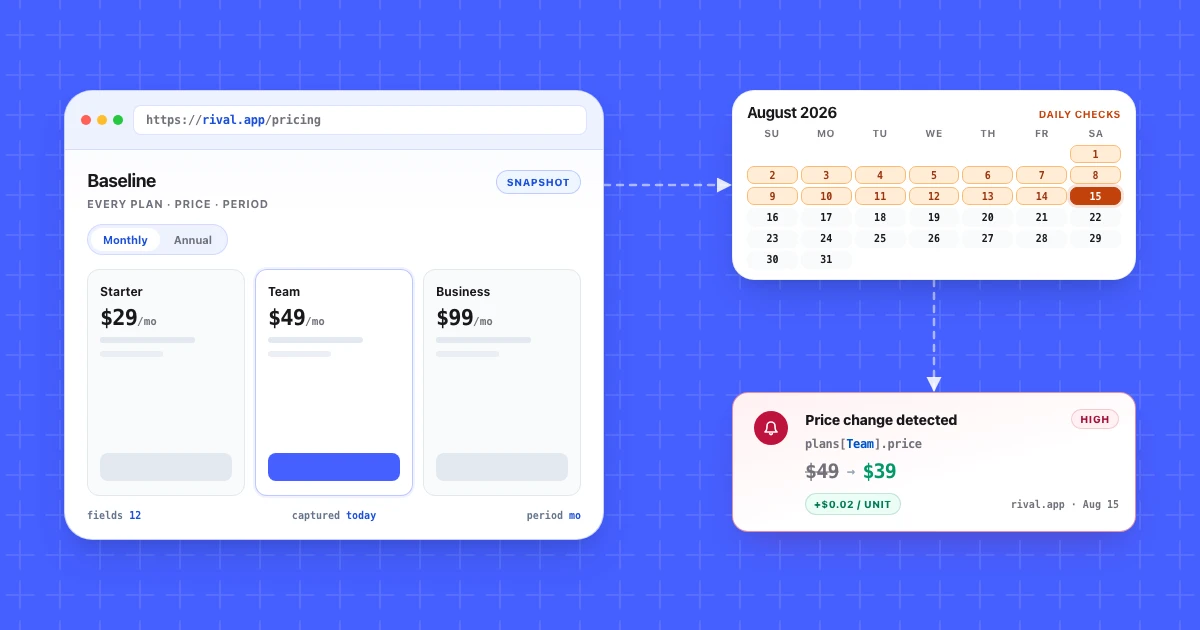
Your competitor Northwind (an illustrative composite we reuse throughout this guide) changed its Team plan on a Tuesday. The flat $49 a month became $39 a month plus $0.02 per unit. On the same deploy, the currency toggle started defaulting to EUR instead of USD for European visitors.
Your monitoring tool fired twice that morning. Both alerts looked identical in the inbox: a highlighted region on a pricing page. One was a pricing model change that rewrites your sales math above 500 units. The other was a locale default that means nothing. Nobody opened either until Friday.
Detection is the easy part. Getting competitor pricing to arrive as a readable fact, on a cadence a person keeps up with, is what breaks.
What you'll learn
- Why pricing pages produce more false alerts than any other competitor surface
- How to capture a baseline so your first alert means something
- A five-step setup for monitoring competitor pricing on a daily cadence
- The pages that carry price information outside
/pricing - Six dated competitor pricing examples, from Microsoft 365 to GitHub Copilot
- How pixel diffs, CSS selectors, and field extraction compare on the same page
- How to filter alerts down to real pricing moves before a human sees them
- How to read pricing changes from an API or an AI agent
- A 48-hour response sequence, then when to match, undercut, or hold
TL;DR: Record a manual baseline of every plan, price, and billing period first. Then monitor competitor pricing pages daily, plus the docs limits page and the changelog. Filter by severity so cosmetic churn never reaches a person, and prefer field-level extraction over pixel comparison so the alert names the plan row that moved.
Why competitor pricing pages break most monitoring tools
A pricing page is the most heavily instrumented page on a SaaS website, so a monitor that compares the whole page reports change constantly. Most of that change has nothing to do with price.
Count what moves on a typical B2B pricing page in a week. Logo carousels rotate on load. A chat widget renders at a different height. Promotional banners appear and vanish. The monthly and annual toggle loads in a different default depending on cookie state. Currency switches by geography. And plenty of SaaS companies run live A/B tests on plan card copy, so two checks from two IP addresses can legitimately disagree about what the page says.
A pixel diff sees all of that as change. An HTML diff sees more, because it also catches build hashes and reordered CSS classes. The signal you want, a number inside one plan card, is a small fraction of the surface being compared.
Both Northwind alerts that morning were true. The page did change twice. But one rewrote the unit economics of every deal your team runs against them, and the other changed a dropdown default. A monitor with no concept of what a price is cannot tell those apart, so it hands the sorting job back to you every day until you stop reading the alerts.
Capture a baseline before you turn on any alerts
Write down what the competitor charges today, by hand, before you automate anything. Without that record you cannot tell whether your first alert is a real move or just the first read.
Open the pricing page and record these fields per plan:
| Field | Northwind Team, before |
|---|---|
| Plan name | Team |
| Headline price | $49/mo |
| Billing model | Flat, per workspace |
| Annual discount | 2 months free |
| Included quota | 10,000 units/mo |
| Overage | None published |
| Default currency | USD |
| Page URL | https://northwind.example/pricing |
Repeat it for each rival and you have a competitor pricing comparison before any monitor runs.
Then run the monitor for three to five days with alerts routed nowhere. You are measuring the page's natural churn rate before you let it page a human. If it produces a diff every day during that window, narrow the monitored region before twenty alerts train the team to mute the channel.
In Competiflow a monitor's first read establishes the baseline and debits one check, same as a scheduled read. See Monitors for how cadence and baseline interact.
How to monitor competitor pricing in five steps
The setup is five steps: add the competitor, confirm the pricing monitor, set a severity floor, choose delivery, then decide who triages. Everything after that is maintenance.
1. Add the competitor by homepage URL. Point at https://northwind.example rather than the pricing page. Discovery crawls the site and seeds monitors for pricing, changelog, docs, blog, and homepage. It runs asynchronously, so poll the competitor record until discovery_status reads completed. See Competitors.
2. Confirm the pricing monitor points at the real page. Discovery finds /pricing reliably, less so when a company hides plans behind /plans or a marketing subdomain. Check the URL, and add a second monitor by hand if the company splits self-serve and enterprise pricing across two pages.
3. Set the cadence and the severity floor. Daily is the right default. Set min_severity on the monitor so low-value diffs never become an alertable change at all. Filtering at the monitor is cheaper than filtering in your inbox.
4. Route delivery by severity, not by monitor. High-severity pricing changes go to a channel a person reads the same day. Everything below that collects in a weekly digest. If every change lands in one channel, the channel is worthless within a month.
5. Name an owner for triage. One person marks changes acknowledged or dismissed each week. An inbox where the unreviewed count only goes up is a second thing to feel guilty about.
Budget check: one pricing monitor on a daily cadence is roughly 30 checks a month. Four competitors with pricing, docs, and changelog each is twelve monitors, or about 360 checks a month.
The pricing surfaces worth watching besides /pricing
Price information leaks onto several pages beyond /pricing, and it often lands there first. Monitoring only the pricing URL means you catch the announcement instead of the preparation.
- Docs limits and quotas pages. In the Northwind scenario, the
$0.02/unitline appears in the API docs limits table well before the pricing page updates. Engineering ships docs when the metering code ships. Marketing updates pricing when the campaign is ready. - The enterprise or contact-sales page. Changes to what "custom pricing" includes, minimum seat counts, and SSO gating tell you where the sales floor moved even when no number is published.
- The changelog or release notes. Billing changes get a changelog entry more often than you would expect, usually phrased as a metering feature.
- Terms of service and the fair-use page. Rate limits, overage policy, and refund terms live here. A quiet edit to overage language is a pricing change with a legal hat on.
- App marketplace listings. If the competitor sells through the Slack, Shopify, or AWS marketplace, that listing carries its own price on its own schedule.
Two are worth watching for every rival: pricing and docs. Add the changelog when the competitor ships fast. Comparison pages that name you belong in a positioning monitor, though they often quote your price and are worth reading for that alone.
Competitor pricing examples
Real competitor pricing changes rarely arrive as one clean price cut. The six dated SaaS changes below include increases bundled with new features, a feature moved between tiers, a capped free tier, and a usage fee added under unchanged seat prices.
| Company | Change: old → new | Date and source | What would have caught it |
|---|---|---|---|
| Microsoft 365 | Business Basic $6.00 → $7.00, Business Standard $12.50 → $14.00, Microsoft 365 E3 $36 → $39 per user/month; Business Premium unchanged at $22 | Announced Dec 4, 2025, effective Jul 1, 2026 | The licensing news page, seven months before the new prices applied |
| Slack | Business+ $12.50 → $15 per user/month billed annually, $15 → $18 billed monthly; AI features added to Pro and Business+ | Jun 17, 2025 | A pricing monitor reading both billing periods; the monthly increase sat in the announcement's footnote |
| Google Workspace | Gemini AI folded in; Business Starter $6 → $7, Standard $12 → $14, Plus $18 → $22 per user/month on a 1-year commitment (before, after) | Jan 15, 2025 | A field diff on the pricing page; the blog framed it as a saving for add-on buyers ($32 → $14) |
| Zapier | Team: SAML SSO paid add-on → included; users unlimited → 25; price "from $69" a month billed annually, unchanged | January 2025 | Feature and limit lines on the pricing page; a price-only alert stays silent |
| Trello | Free Workspaces: no collaborator cap → 10; no new invites over the cap from Apr 8, 2024, boards view-only from May 20, 2024 | Announced Mar 4, 2024 | A blog monitor, five weeks before the first enforcement date |
| GitHub Copilot | Premium requests: soft allowance → enforced (Pro 300, Pro+ 1,500 a month), extras $0.04 each; seat prices unchanged | Jun 18, 2025 | Changelog and billing docs monitors |
Three of the six never changed a headline price, so a monitor watching only the price string would have reported nothing for Zapier, Trello, or GitHub. The three that raised prices announced new features in the same breath, and Google's blog led with a saving while its pricing page went up on every Business tier. Old and new field values settle which story applies to your buyers.
Every change was also published off the pricing page. And moves repeat: GitHub switched Copilot to usage-based billing on June 1, 2026, again without touching base plan prices.
Competitor price monitoring tools
Competitor price monitoring tools split into page monitors that watch a SaaS rival's pricing page, docs, and changelog, and e-commerce trackers that follow product prices across online stores. A SaaS team needs the first kind.
On the SaaS side, the next section compares five monitors by detection model. For competitive pricing data at market scale, PricingSaaS tracks pricing-page changes across SaaS companies ("Every price change in the market, as it happens").
Prisync and Price2Spy are competitive pricing tools for retailers and ecommerce brands. They track product SKUs and feed repricing, which is the wrong shape for a SaaS plan table.
Pixel diffs, selectors and field extraction compared
Field extraction wins when you need the plan row named in the alert; pixel diffs and CSS selectors win when you want a visual record and will maintain the selectors yourself. Three detection models dominate this category.
| Tool | Detection model | Price extraction | Setup you own | Handles currency / A-B noise | Cost model (as of October 2026) | API / agent access | Best-fit buyer |
|---|---|---|---|---|---|---|---|
| Visualping | Rendered screenshot diff with optional region crop, plus text detection | None, you read the image or text diff | Pick a region, tune sensitivity | Poor by default, AI "important" flag helps triage | Free 5 pages / 150 checks; Personal from $14/mo billed monthly ($10/mo billed annually); Business from $140/mo ($100/mo billed annually) | REST API and MCP server on every plan | Non-technical teams who want a visual record |
| Distill | CSS or XPath selector on a page region, text or visual | Manual, if the selector isolates the price node | You write and repair every selector | Good while selectors hold, breaks silently on redesign | Free 25 monitors (5 in the cloud); Starter $15/mo; Professional $35/mo | API access on request; webhooks | Engineers and technical PMMs who live in DevTools |
| changedetection.io | Text and HTML diff with CSS/xPath filters, browser steps | Restock and price detection on a targeted element | Self-host, or hosted; filters and ignore rules are yours | Good with ignore-text rules you maintain | Open source and self-hostable free; hosted $8.99/mo for up to 5,000 URL watches | Open source, self-host gives full data access | Teams who want to run monitoring on their own infrastructure |
| Hexowatch | 13 monitor types, including visual, keyword, and HTML element | Yes, via an HTML element monitor pointed at the price | Choose monitor type and element | Good on an element monitor, weaker in visual mode | Sold as Hexowatch OR:ON: free plan; Personal $15/mo billed monthly ($10.50/mo billed yearly); Plus $55/mo | Zapier | Teams watching stock, keywords, and tech stack alongside price |
| Competiflow | Field-level diff on normalized pricing fields | Yes: plan name, price, billing period, and feature lines extracted as fields | Add a homepage URL; discovery seeds monitors | Currency defaults and layout churn are not tracked fields | Free trial: 100-check allowance, daily cadence; Starter $19/mo (2,000 checks); Growth $49/mo (5,000); Pro $99/mo (10,000) | REST API and MCP server | Teams who want the plan row named in the alert body |
Prices above are as of October 2026, and every vendor revises tiers, so confirm on the current plan page before you budget.
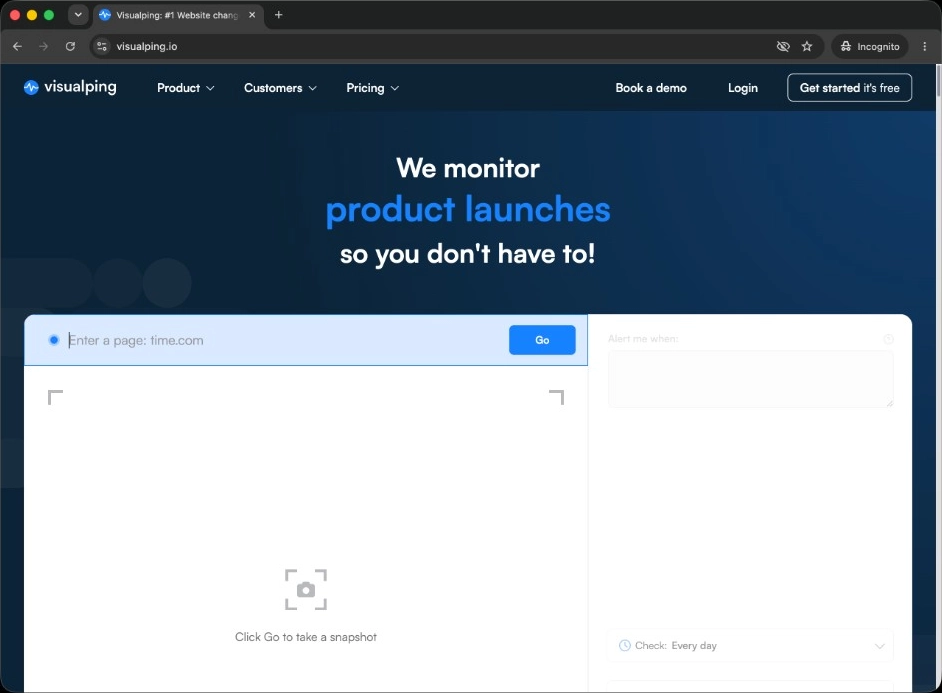
Visualping screenshots a page or a cropped region and compares renders, with a text mode alongside. On a static page that model is close to perfect, and the before-and-after image is persuasive in a leadership review. On the Northwind page it fires on the currency default flip as well as the pricing model change, because both altered the render. Its AI "important" flag helps sort them, though the alert still points at a page region.
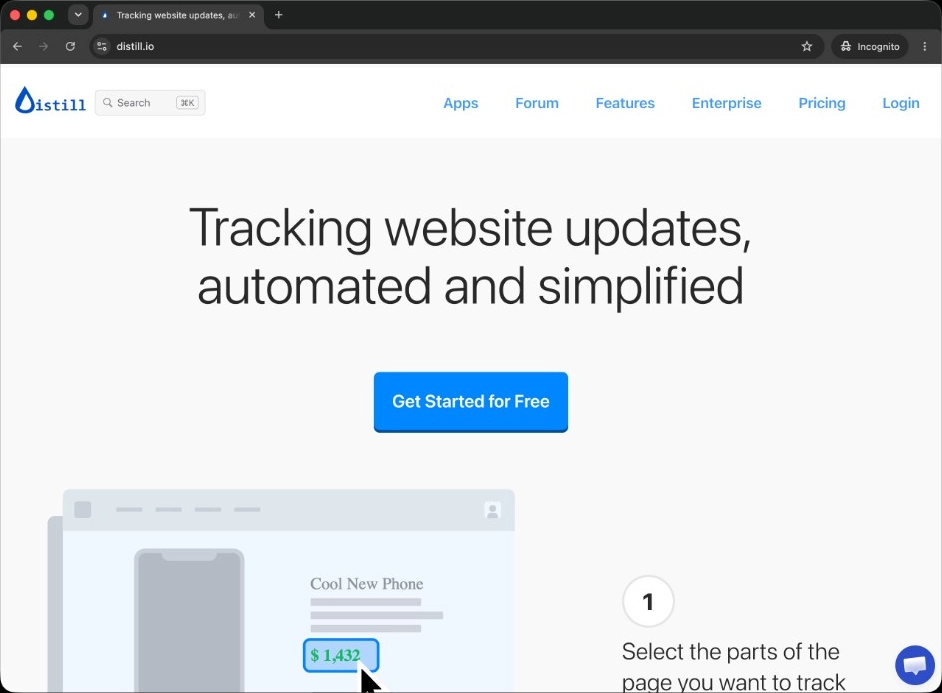
Distill narrows the comparison to a CSS or XPath selector, which solves the noise problem cleanly. Select the price node inside the Team plan card and the carousel stops mattering. The cost is upkeep: a selector is a contract with a page's DOM, and a redesign voids it without telling you. The failure mode is silence, which is worse than noise.
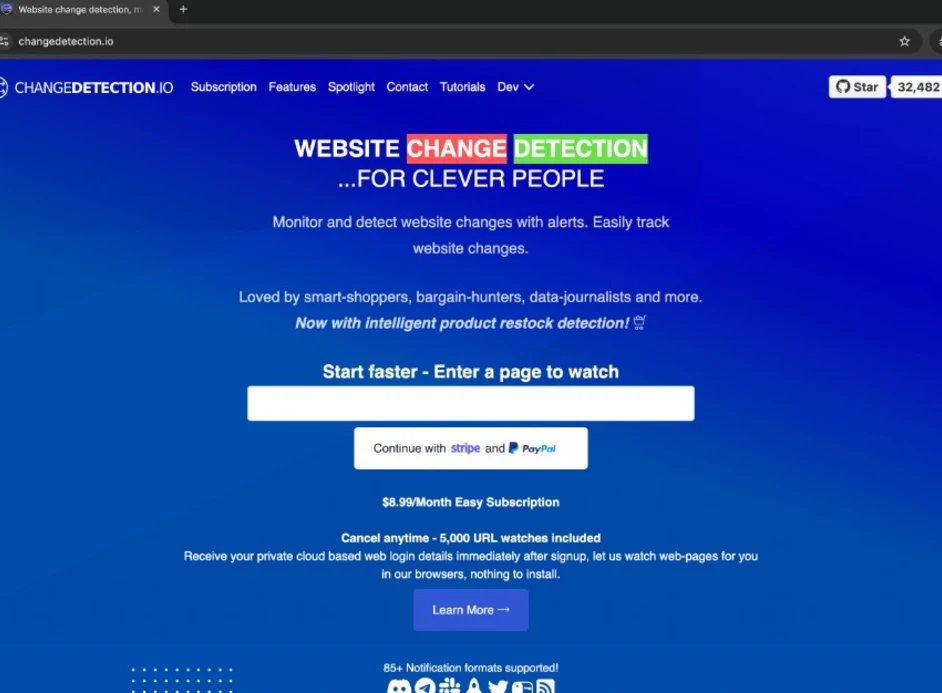
changedetection.io is the open source option, and the only one here you can run on your own hardware for the cost of electricity. It supports CSS and xPath filters, ignore-text rules, browser steps for pages behind a login, and restock detection that doubles as price tracking. The hosted plan is $8.99 a month for up to 5,000 URL watches. It fits teams who would rather own the infrastructure than pay for interpretation.
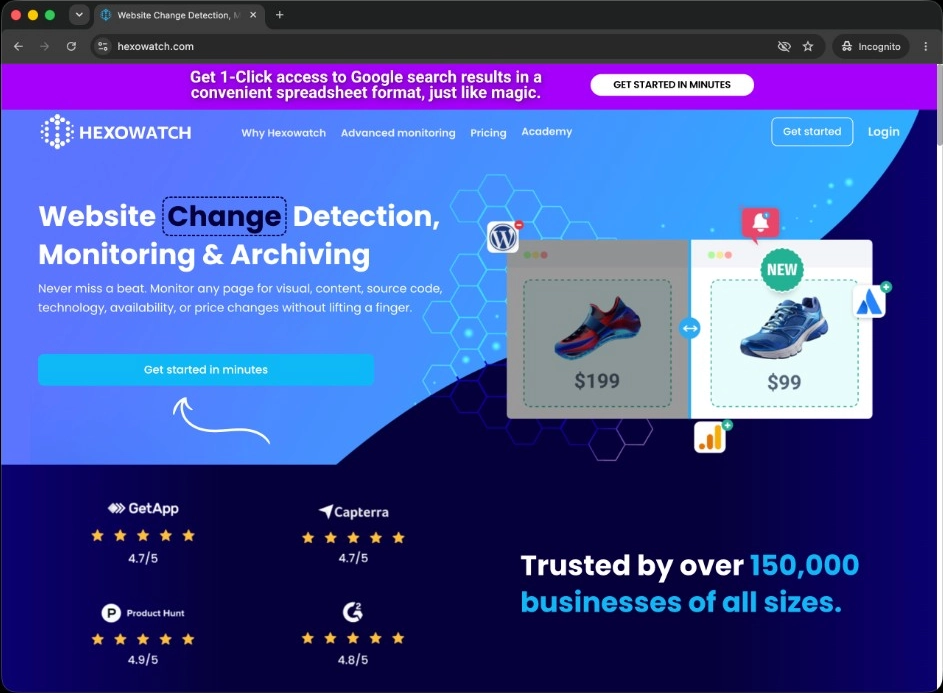
Hexowatch offers 13 monitor types, among them visual, keyword, source code, technology, and an HTML element monitor you can point at a price. As of October 2026 it sells monitoring as Hexowatch OR:ON, with a free plan and paid plans from $15 a month billed monthly ($10.50 a month billed yearly). It is the broadest tool here, and the trade-off is depth: an element monitor tracks whatever node you point it at, without a schema of plans and prices behind it.
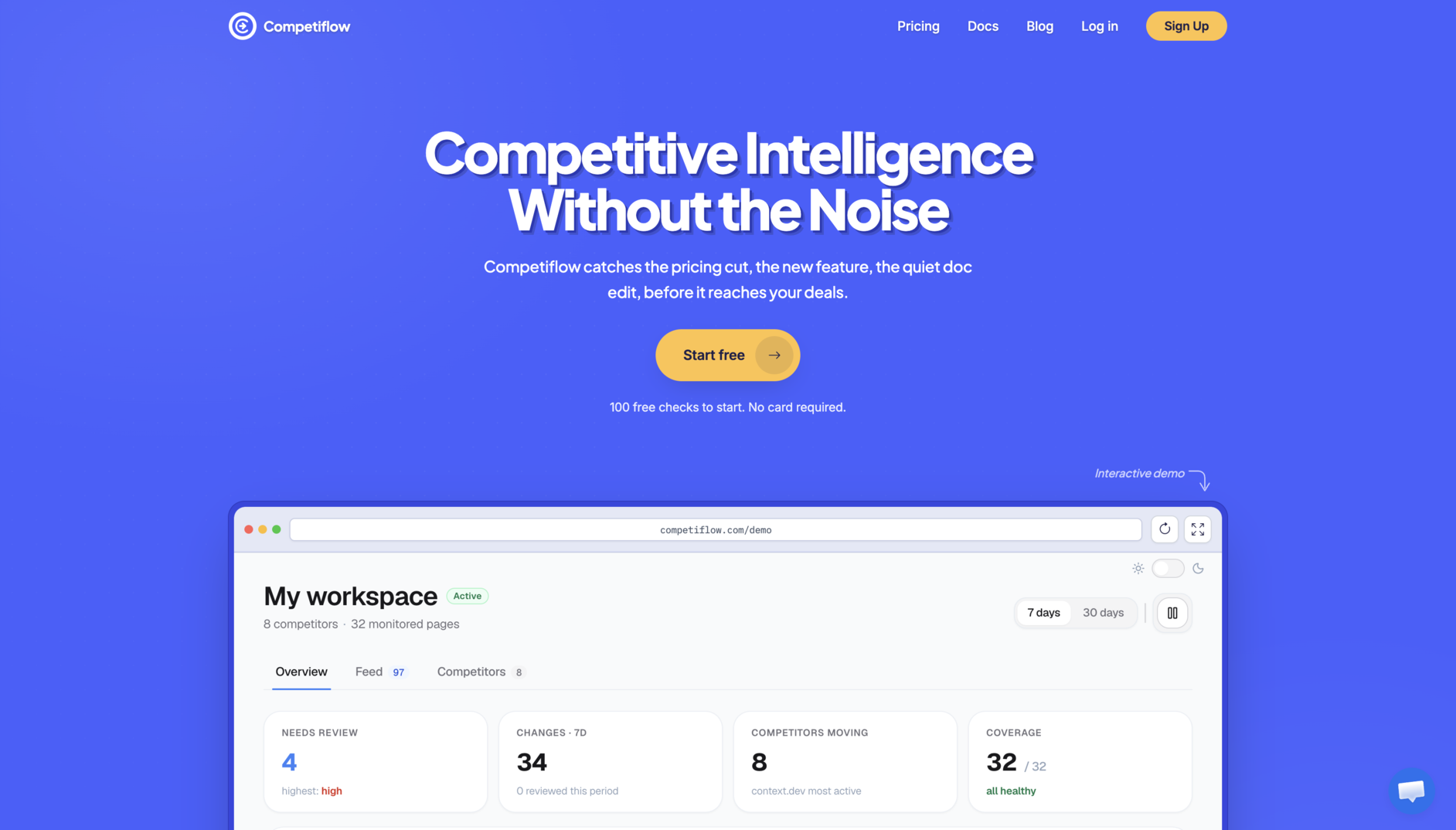
Competiflow extracts the page into normalized fields and diffs those. A currency default flip produces no change record when the extracted price string stays the same; a plan price move produces one with both values in it. If the competitor republishes the same tier in a different currency symbol, that is a real diff on the price field.
A longer head-to-head lives in Visualping alternatives for pricing pages, and the category roundup is in best competitor monitoring tools for SaaS.
How often to check a competitor pricing page
Daily is right for almost everyone. Pricing pages change a handful of times a year, and the value of knowing about a change six hours sooner is close to zero unless you are in an active deal cycle against that competitor.
| Cadence | Checks per monitor per month | Use it when |
|---|---|---|
| Hourly | ~720 | A rival is mid-launch and you expect a pricing move this week |
| Every 6 hours | ~120 | You compete head to head on price and deals close in days |
| Daily | ~30 | The default for competitor pricing monitoring |
| Weekly | ~4 | Enterprise vendors with contact-sales pricing that rarely publish numbers |
Faster cadence costs more than checks. Every extra read is another chance to catch a mid-deploy page, a geo-routed variant, or a live A/B test, so hourly monitoring raises your false-positive rate as fast as it lowers detection lag.
The one case where faster pays is a known window. A competitor announces a pricing update effective the first of the month. Move that monitor to hourly for three days, then put it back. Hourly cadence requires a Pro plan; six-hourly requires Growth. Starter supports daily and weekly. Cadence is a setting you change per monitor from the dashboard or with a PATCH.
Filter alerts so a person only sees real pricing moves
Filter in three places: field level, severity level, and delivery level. Doing all three separates a setup people still read in month six from one they muted in week two.
Field level. Decide which fields are alertable and which are furniture. In Competiflow the pricing schema tracks plan name, price, billing period, and feature lines (label plus value). Currency default, testimonial text, and button labels sit outside that schema. Fields outside the schema produce no diff, which is why the Northwind USD to EUR toggle generates nothing when the extracted price string is unchanged, while the $49 to $39 move generates a change record.
Severity level. Set a floor and respect it. A min_severity of medium on a pricing monitor drops informational diffs before they reach the feed. The scale runs info, low, medium, high, critical, and a price move on a headline tier lands at high or above.
Delivery level. High and critical pricing changes go to a channel with a person attached. Medium and below go into a weekly digest someone skims on Monday. Then close the loop by marking each reviewed change acknowledged or dismissed so the unreviewed count reflects reality.
A rough target: fewer than one pricing alert per competitor per month reaching a human. More than that usually means the field list is too wide, not that the competitor is busy.
Read pricing changes from an API or an agent
Every change is available over REST, so you can pull pricing moves into a battlecard tool, a Slack bot, or an AI agent instead of reading email. Start with the quickstart for authentication, then filter the feed by monitor type and severity.
curl "https://api.competiflow.com/v1/changes?workspace_id=42&monitor_type=pricing&min_severity=medium" \
  -H "Authorization: Bearer $COMPETIFLOW_API_KEY"
Response (200 OK):
{
  "changes": [
    {
      "id": 901,
      "competitor_id": 7,
      "competitor": "Northwind",
      "monitor_id": 101,
      "monitor_type": "pricing",
      "severity": "high",
      "severity_score": 82,
      "summary": "Team plan moved from $49/mo flat to $39/mo plus $0.02 per unit",
      "why_it_matters": "Usage-based pricing undercuts your flat Team tier below 500 units per month and costs more above that crossover.",
      "opportunity_score": 68,
      "review_status": "unreviewed",
      "category": "pricing",
      "direction": "retreated",
      "delta": { "added": 1, "removed": 0, "modified": 1 },
      "created_at": "2026-07-21T06:12:00.000Z"
    }
  ],
  "has_more": false,
  "meta": {
    "counts": { "unreviewed": 1, "acknowledged": 14, "dismissed": 6 },
    "max_unreviewed_severity": "high"
  }
}
Note what is absent. The currency toggle flip from the same morning produced no entry, because default currency is not an extracted field. That is filtering happening before delivery rather than after.
Fetch one change for the field-level evidence:
curl "https://api.competiflow.com/v1/changes/901" \
  -H "Authorization: Bearer $COMPETIFLOW_API_KEY"
{
  "change": {
    "id": 901,
    "competitor": "Northwind",
    "monitor_type": "pricing",
    "severity": "high",
    "summary": "Team plan moved from $49/mo flat to $39/mo plus $0.02 per unit",
    "why_it_matters": "Usage-based pricing undercuts your flat Team tier below 500 units per month and costs more above that crossover.",
    "field_diffs": [
      {
        "op": "modified",
        "change_type": "price_decrease",
        "path": "plans[Team].price",
        "tier": "alertable",
        "old": "$49",
        "new": "$39"
      },
      {
        "op": "added",
        "change_type": "feature_added",
        "path": "plans[Team].features[Usage rate]",
        "tier": "alertable",
        "old": null,
        "new": { "label": "Usage rate", "value": "$0.02/unit" }
      }
    ],
    "source_url": "https://northwind.example/pricing",
    "raw_diff_available": true
  }
}
Two field diffs on one page, and the headline number alone would have misled you. A price_decrease by itself reads like a discount. Paired with the added usage-rate feature line, it reads like a migration to usage-based pricing, which is a different competitive story. Filters and pagination are in Changes.
If you work with an AI agent in Cursor or Claude Desktop, the same data comes through the Competiflow MCP server, so you can ask for unreviewed pricing changes in plain language instead of writing the curl. That workflow is covered in monitor competitors with AI agents.
What to do in the first 48 hours after a competitor changes price
Verify, quantify, then brief. Most teams skip straight to the internal panic, which produces a Slack thread instead of a decision.
Hours 0 to 2: verify and preserve evidence. Open the page yourself, and from a second geography if the competitor localizes. Confirm the change is live rather than a staging leak or a test bucket. Save the raw diff and a timestamped screenshot. If a rival rolls the price back two days later, your archive is the only record it happened.
Hours 2 to 24: run the competitor price analysis. Northwind's new Team plan costs $39 plus $0.02 a unit, so it equals the old $49 at 500 units. Check that crossover point against your customer distribution. If eighty percent of your Team accounts sit under 500 units, you now look expensive to most of your base and cheap to your largest accounts. That is a segmentation problem with a number attached.
Hours 24 to 48: brief the people who will hear about it. Sales needs one line and one number before the next call, not a memo. Update the battlecard with the new plan structure, the crossover point, and the honest answer to "why are you more expensive." Then decide whether you respond on price, on packaging, or not at all, and write that decision down.
Resist matching inside 48 hours. Competitors test pricing and roll changes back. Watching for two weeks costs almost nothing and tells you whether the move was permanent.
Competitive pricing strategy: when to match, undercut or ignore
Hold your price by default and answer with packaging or sales messaging. Undercut only in the segment the rival's move threatens, and match only when it hits your core business and you can outlast the other side. As Rao, Bergen, and Davis wrote in Harvard Business Review's How to Fight a Price War: "Often the best counterattack does not involve a retaliatory price cut."
This section is about answering a rival's move. For what competitive pricing is and the methods for setting a price against rivals, see competitive pricing.
The article predates SaaS, but its options map onto a rival's price move:
| Response | Signals that point here | What it looks like for a SaaS team |
|---|---|---|
| Hold | The move hits a segment you don't sell to, looks like a test or promo, or your win-loss notes show deals lost on fit | Log it, give sales a one-line answer, recheck in two weeks |
| Reposition | Buyers are price sensitive for a reason you can address, such as a feature the rival now bundles | Move a feature line between tiers, adjust limits, rewrite the battlecard |
| Undercut selectively | One segment is under threat, like Northwind's accounts below 500 units | A smaller plan or quantity discount for that segment; the list price stays |
| Match | The move threatens your core business, the price-sensitive segment is large and growing, or you have a cost advantage or deeper pockets | One clear price change, made once |
HBR's case for the Reposition row is that "understanding the basis for certain customers' price sensitivities lets managers creatively respond to a rival's price cut without cutting their own prices." Matching has a cost beyond margin. Simon-Kucher's note on parity pricing warns that "Simply matching your competitors' prices does not maximize your profits in the short or long term," and HBR adds that "a pattern of price cutting may teach customers to anticipate lower prices."
This fits the 48-hour advice above: verify the change is permanent first. If you then match, HBR says to "implement them quickly and unambiguously." And when a rival raises prices, as most of the examples above did, holding your price is already a response, so put that in the battlecard.
Five mistakes that quietly break pricing monitoring
These five mistakes fail silently, which is why broken monitors survive for months without anyone noticing.
Selector rot after a redesign. A CSS selector that no longer matches returns empty rather than erroring, so the monitor reports no change forever. Check that every pricing monitor has produced at least one diff in the last quarter. Zero activity means the page is very stable or the monitor is watching nothing.
Monitoring only the pricing page. Metering rates land in docs, seat minimums on the enterprise page, overage policy in the terms. One URL per competitor catches the announcement and misses the preparation.
Alerting on the whole page. Comparing the full render or the full DOM guarantees that cookie banners compete with prices for attention. Narrow the comparison to the plan structure, by selector, by element, or by extraction schema.
Skipping the baseline. Without a recorded starting state your first alert is unreadable, and you cannot answer "what was it before" three months later when someone asks in a board meeting.
No triage owner. The unreviewed counter climbs, the channel gets muted, and six months later somebody rediscovers the tool.
Monitor health deserves a monthly look too. Rising consecutive_failures means the page is blocking you or timing out. Those reads are not billed, and they are also not detecting anything.
When monitoring competitor pricing is not worth automating
Automation earns its keep when prices are public, change occasionally, and matter to deals you are actively losing. Remove any one of those and a calendar reminder does the job for less.
Skip it when the competitor publishes no prices. Enterprise vendors with a contact-sales page give a monitor nothing to extract. Competitor pricing research there means logging quoted prices from win-loss interviews, which is a CRM field.
Skip it when you track one or two rivals. Opening two pricing pages on the first Monday of the month takes four minutes and beats configuring anything. The math changes around four or five competitors, or as soon as you watch more than one surface each.
Skip it pre product-market fit. If your own pricing changes monthly, competitor prices are not your binding constraint. Revisit once your pricing stabilizes and sales starts losing deals on price rather than fit.
And skip it for marketplace-mediated pricing that moves hourly, like retail SKUs or ad inventory. Competitive intelligence tooling is built for pages that change a few times a year, and repricing engines are a different product category. If you are still deciding whether any of this applies, what is competitor monitoring covers the category from the start.
Frequently Asked Questions
How do I monitor competitor pricing pages automatically?
Add the competitor's homepage to a tool that discovers the pricing page for you, or point a monitor at the pricing URL directly. Set the cadence to daily, restrict comparison to the plan cards, and set a severity floor so only real price moves alert. Record a manual baseline first.
How often should I check a competitor's pricing page?
Daily covers nearly every case. Pricing pages change a few times a year, and faster cadences mostly increase your exposure to A/B tests and mid-deploy reads. Raise it to hourly for a few days around a known launch window, then set it back.
Is it legal to monitor competitor pricing?
Reading publicly published prices on a public page is standard competitive research. What matters is checking the site's terms, honoring robots directives and rate limits, and not accessing anything behind a login you are not entitled to use. This is general practice and not legal advice, so check with counsel if your situation is unusual.
What is the difference between pixel diffs and field extraction?
A pixel diff compares two rendered images and reports that a region changed. Field extraction parses the page into named values like plan name and price, then compares those. The first tells you to go look. The second tells you the Team plan went from $49 to $39.
Why does my pricing monitor send so many false alerts?
Pricing monitors send false alerts when they compare too much of the page. Carousels, chat widgets, promo banners, currency toggles, and live A/B tests all change independently of price. Narrow the monitored region to the plan cards, or use a tool that diffs extracted pricing fields.
Can I get competitor pricing changes into Slack or an API?
You can get competitor pricing changes into Slack or an API. Competiflow exposes changes at GET /v1/changes with filters for monitor_type, min_severity, and since, plus an MCP server for AI agents. Visualping also has a REST API and MCP server, and Distill sends to Slack, Teams, and webhooks; what they deliver describes a page-level change rather than a parsed plan price.
How much does competitor pricing monitoring cost?
Entry plans for competitor pricing monitoring run from free to $19 a month, as of October 2026. Self-hosted changedetection.io is free beyond the server it runs on, and its hosted plan is $8.99 a month. Distill has a free tier of 25 monitors (5 in the cloud) with paid plans from $15. Hexowatch OR:ON has a free plan and paid plans from $15 billed monthly, Visualping Personal is $14 billed monthly ($10 a month billed annually), and Competiflow is $19 a month for 2,000 checks.
How many pages should I monitor per competitor?
Two to four. Pricing and docs limits for everyone, plus the changelog for fast-shipping rivals and the enterprise page if you compete upmarket. At a daily cadence that is roughly 60 to 120 checks per competitor per month.
How do I track competitor price changes?
Track competitor price changes by pointing a monitor at the pricing URL, setting a daily cadence, and filtering alerts to field-level changes on plan names and dollar amounts. A good tool returns the old price, the new price, and a timestamp. A bad tool returns a screenshot with something highlighted. Review once a week through a digest or API rather than reacting to every email.
Competitor pricing monitoring works when the alert reads like a fact instead of a chore. Baseline the plans by hand, watch the docs page alongside /pricing, keep the cadence daily, and filter hard enough that fewer than one alert per competitor per month reaches a person.
Northwind will change its Team plan again. The question is whether you find out Tuesday morning with the crossover point already calculated, or Friday from a prospect who got the new quote.