
Search for a competitor analysis example and most results are how-to essays about a fictional XYZ Tech, or a vendor scoring its own product with undated numbers. Neither shows you a finished analysis.
This page is a filled competitive analysis example on three real scheduling tools, with a source and a check date on every rival cell. It uses the tabs from our competitor analysis template and runs through to a one-page report. Competiflow doesn't sell scheduling software, so we aren't grading ourselves.
One part is made up on purpose: the analyst is a PMM at a hypothetical new scheduling product for small B2B sales teams. The rivals and every rival cell are real and were checked on 2026-10-24.
What you'll learn
- How to pick three rivals that play different roles
- A sourced overview and pricing tab for Calendly, Cal.com, and SavvyCal
- How to record a price no vendor page states outright, and when to write "not stated"
- Seven beliefs one day of reading vendor pages changed
- How findings become recommendations and a one-page report
TL;DR: A useful competitor analysis example shows every cell filled and traceable. This one covers Calendly, Cal.com, and SavvyCal across overview, pricing, feature gates, a 0/1/2 scorecard, and a thin SWOT, with a source and a 2026-10-24 check date on every rival cell. It ends in four findings, sourced recommendations, and a one-page report.
What this competitor analysis example covers
This is a filled software competitor analysis of Calendly, Cal.com, and SavvyCal, done for a hypothetical entrant, with every rival cell sourced and checked on 2026-10-24. It follows the tabs of the competitor analysis template from 00_readme to 99_watchlist, then adds the findings and report the template leaves to you.
Why three scheduling rivals
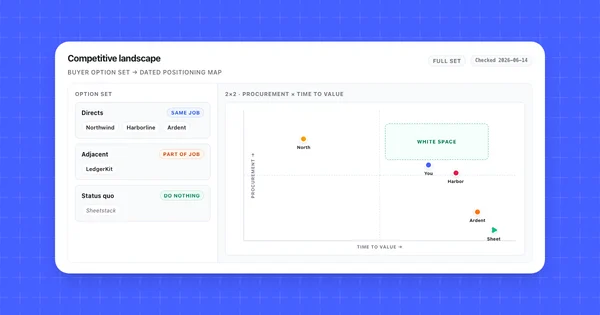
Calendly is the incumbent, Cal.com the challenger, and SavvyCal the indie option. Three rivals show the spread in price and entry motion without the grid turning into a dump. Any other scheduling tool goes on 99_watchlist until it shows up in deals. If you don't know your set yet, map the full option set first.
How to read the provenance
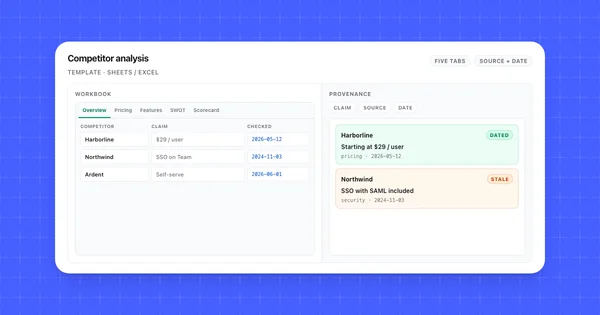
Long tables carry a linked source, a checked date, and confidence. High means the vendor's page states the fact in words. Medium means it's derived from vendor pages that don't say it outright. Low is for buyer quotes, and this example has none. The feature grid puts each rival's default source in the column header, and cells from other pages carry a key like [S1].
"Not stated on pricing page" is a finding: we read the page and it doesn't say. SavvyCal cells read "not stated on pages read" because they drew on several pages. Neither phrase is ever swapped for a guess or a blank. Here's the example's 00_readme:
| field | value |
|---|---|
| owner | PMM at the entrant (hypothetical) |
| analyst's product | Hypothetical new scheduling product for small B2B sales teams (5 to 20 reps) |
| rivals | Calendly (incumbent), Cal.com (challenger), SavvyCal (indie) |
| checked_date | 2026-10-24 for every rival cell |
| scoring rule | 0 / 1 / 2 by lowest listed plan price; "not stated" scores 0 and is flagged verify |
| source tiers used | Tier 1 only (vendor pages, docs, release notes); no trial yet |
| refresh cadence | Prices and gates 30 days; changelogs weekly (Cal.com's monthly post after the 15th); security 90 days |
Competitor profiles: Calendly, Cal.com, and SavvyCal
Calendly is the incumbent that sells to individuals through large companies, Cal.com is the challenger pitching customization to businesses and developers, and SavvyCal is the indie tool built around the booker's experience.
| competitor | category_role | primary_icp | entry_motion | positioning_claim | source | checked |
|---|---|---|---|---|---|---|
| Calendly | Incumbent | Individuals, small business, large companies (nav) | Free plan, self-serve signup, "Talk to sales" | "All the work around meetings, handled." | homepage, pricing | 2026-10-24 |
| Cal.com | Challenger | Individuals, businesses taking calls, developers (subhead) | Free plan, 14-day trial on Teams and Organizations, "Talk to sales" | "The better way to schedule your meetings" | homepage, pricing | 2026-10-24 |
| SavvyCal | Indie | Hosts and the people who book them (subhead) | Booking needs a paid plan; no self-serve trial; 30-day money-back guarantee | "The fresh way to find a time to meet." | homepage, pricing | 2026-10-24 |
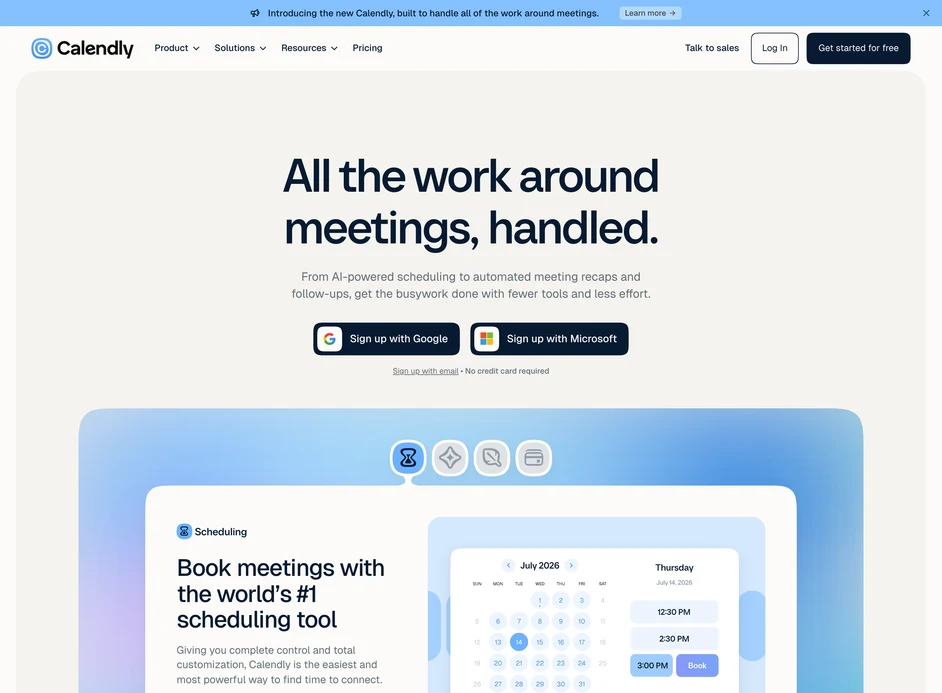
Calendly leads with a banner for "the new Calendly, built to handle all of the work around meetings" and a subhead about "AI-powered scheduling to automated meeting recaps and follow-ups." A homepage section calls it "the world's #1 scheduling tool," a vendor claim we haven't verified. Calendly suits teams that want one tool from a free solo plan up to an Enterprise contract.
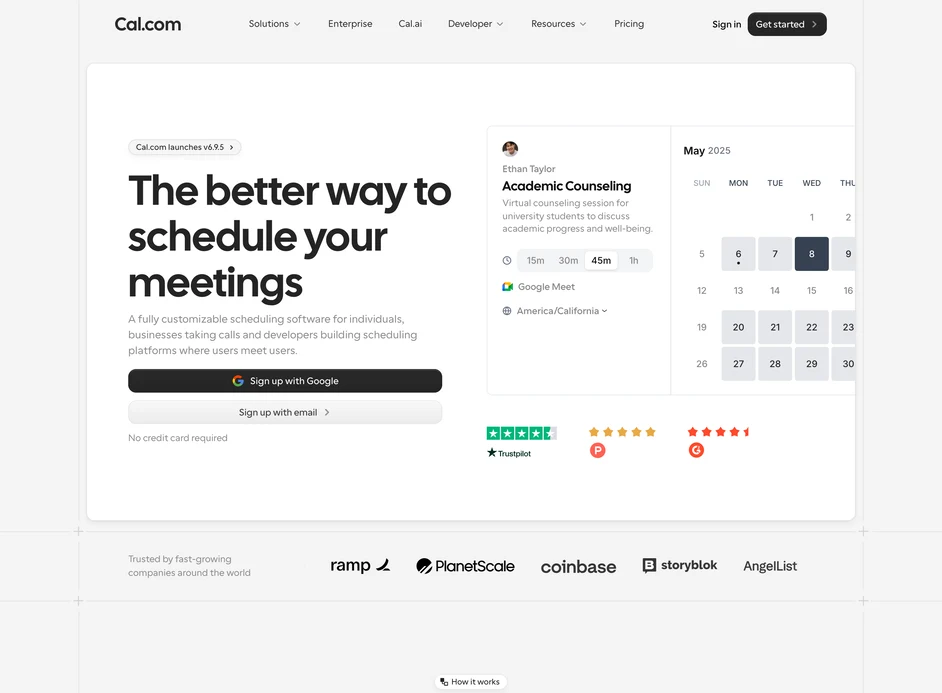
Cal.com describes itself as "a fully customizable scheduling software for individuals, businesses taking calls and developers building scheduling platforms where users meet users." Cal.com went closed source in April 2026 (details below). Cal.com suits teams that want a free plan with CRM sync listed and a path to admin controls on Organizations.
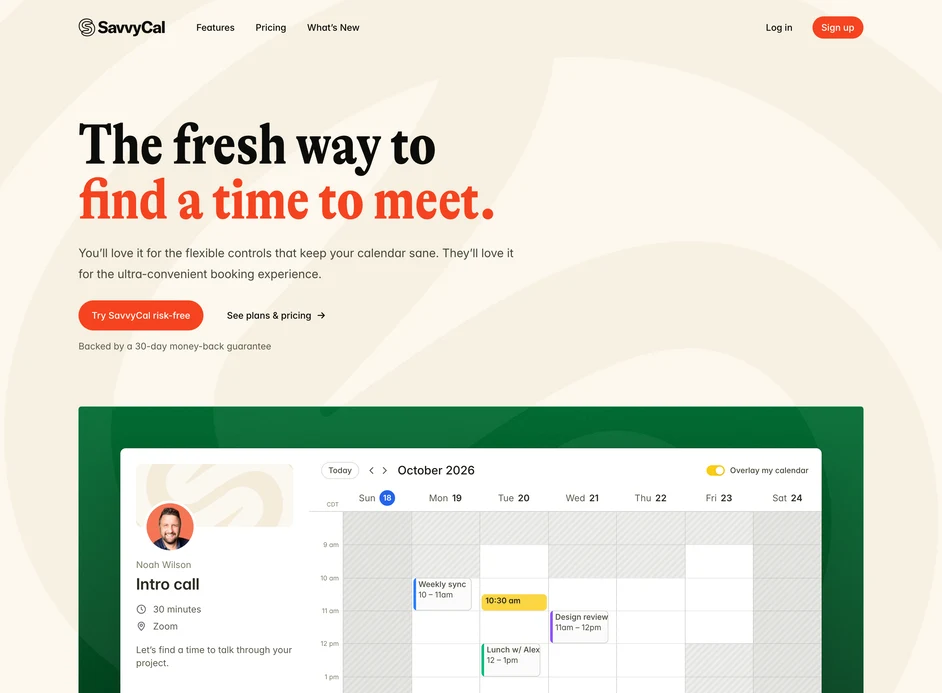
SavvyCal pitches both sides of the link: "You'll love it for the flexible controls that keep your calendar sane. They'll love it for the ultra-convenient booking experience." Bookers can overlay their own calendar on your link for free. The homepage says "Join over 2,000 happy customers," a vendor claim. Pick SavvyCal if how booking feels to the other person matters most and you'll pay from day one.
Pricing comparison: plans, seats, and billing
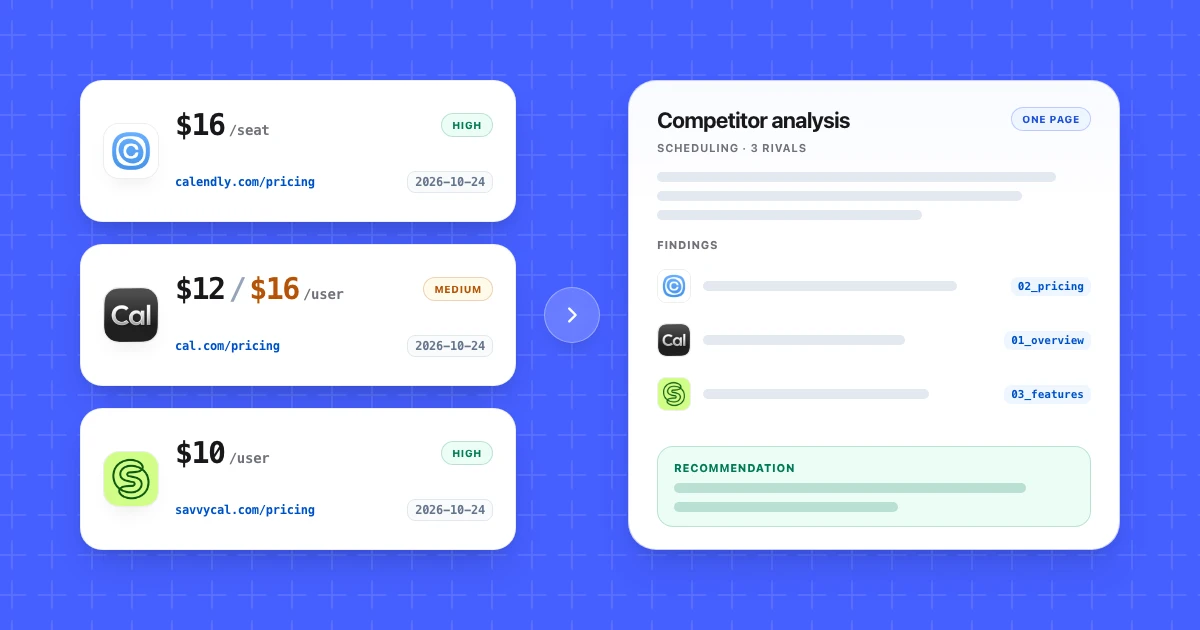
Round-robin scheduling starts between $10 and $20 per seat per month across the three rivals, depending on vendor and billing period. All three price per seat, and people who book a meeting never need one.
| competitor | plan_name | yearly | monthly | price_unit | confidence | source | checked |
|---|---|---|---|---|---|---|---|
| Calendly | Free | $0 | $0 | One event type | High | pricing page | 2026-10-24 |
| Calendly | Standard | $10 | $12 | per seat / mo | High | pricing page | 2026-10-24 |
| Calendly | Teams | $16 | $20 | per seat / mo | High | pricing page | 2026-10-24 |
| Calendly | Enterprise | "Starts at $15k /yr" | not stated on pricing page | Starts at 50 seats | High | pricing page | 2026-10-24 |
| Cal.com | Free | $0 | $0 | 1 user | High | pricing page | 2026-10-24 |
| Cal.com | Teams | $12 | $16 (homepage FAQ, no period) | per user / mo | High / Medium | pricing page, homepage FAQ | 2026-10-24 |
| Cal.com | Organizations | $28 | $37 (homepage FAQ, no period) | per user / mo | High / Medium | pricing page, homepage FAQ | 2026-10-24 |
| Cal.com | Enterprise | Custom ("Annual pricing") | not stated on pricing page | not stated on pricing page | High | pricing page | 2026-10-24 |
| SavvyCal | Free signup | $0 | $0 | Links and polls only; no bookings | High | pricing page | 2026-10-24 |
| SavvyCal | Basic | $10 ($120 / yr) | $12 | per user / mo | High | pricing page | 2026-10-24 |
| SavvyCal | Premium | $17 shown ($200 / yr = $16.67) | $20 | per user / mo | High | pricing page | 2026-10-24 |
| SavvyCal | Over 50 users | Email for volume pricing | Email for volume pricing | not stated on pricing page | High | pricing page | 2026-10-24 |
Annual discounts differ: Calendly shows "Save 17%" on Standard and "Save 20%" on Teams, Cal.com shows "Save 25%," and SavvyCal calls it "Two months free." Calendly says "meeting invitees do not require a seat," and SavvyCal says "Everyone on a subscription is on the same plan," so a SavvyCal team can't mix Basic and Premium seats. If per-seat pricing models are new to you, read up before you compare team totals.
The Cal.com monthly price: a Medium-confidence cell
The Cal.com pricing page shows $12 for Teams and $28 for Organizations, labelled "YEARLY" with "Save 25%," and no monthly toggle. A collapsed homepage FAQ says "Teams ($16/user/month)" and "Organizations ($37/user/month)" with no billing period. The arithmetic fits: $16 × 0.75 = $12, and $37 × 0.75 = $27.75, close to $28. So $16 and $37 are most likely monthly prices, but no page says so. Those cells carry the number, both sources, and Medium. The same habit covers SavvyCal Premium: record the $17 the card shows and keep the $200 annual total beside it.
Product competitive analysis: feature gates by plan
For a 5 to 20 rep sales team, the PMM picked eleven criteria buyers ask about and recorded the lowest plan where Calendly, Cal.com, and SavvyCal list each one.
| criterion | Calendly · pricing page · 2026-10-24 | Cal.com · pricing page · 2026-10-24 | SavvyCal · pricing page · 2026-10-24 |
|---|---|---|---|
| Free plan can take bookings | Yes, one event type | Yes, 1 user, unlimited event types | No, booking needs Basic or Premium |
| Round robin / team scheduling | Teams | Teams | Basic |
| Routing forms | Teams ("Qualify, route, & schedule leads") | Teams | not stated on pages read |
| HubSpot | Standard | Free (two-way sync) | In directory [S5]; compare table lists "CRM integrations" on Basic, HubSpot not named |
| Salesforce | Teams; Enterprise adds "Route with Salesforce lookup" | Free (two-way sync) | not listed in integrations directory [S5] |
| Payments (Stripe) | Standard | Free | Premium |
| Remove branding | not stated on pricing page (table images) | Teams | Premium |
| API / webhooks | not stated on pricing page (table images); developer docs don't name a plan [S2] | "Custom APIs" on Teams | Basic ("Included") |
| Workflows / automations | Standard ("Automations," previously "Workflows") | Templated only on Free [S3]; custom gate not stated | Basic |
| SSO / SAML | Teams as optional SSO add-on; Enterprise lists SSO & SAML | Organizations (SAML SSO, SCIM) | not stated on pages read |
| Compliance listed | SOC 2 Type 2, SOC 3, CSA STAR, PCI, ISO/IEC 27001 [S1]; plan scope not stated | SOC 2, HIPAA, ISO 27001 on Organizations card; HIPAA Enterprise plan [S4] | SOC 2 / ISO 27001: "Not yet" [S6] |
| key | page | URL | checked_date |
|---|---|---|---|
| S1 | Calendly security | calendly.com/security | 2026-10-24 |
| S2 | Calendly developer docs | developer.calendly.com | 2026-10-24 |
| S3 | Cal.com homepage FAQ | cal.com | 2026-10-24 |
| S4 | Cal.com Enterprise | cal.com/enterprise | 2026-10-24 |
| S5 | SavvyCal integrations directory | savvycal.com/integrations-directory | 2026-10-24 |
| S6 | SavvyCal security | savvycal.com/security | 2026-10-24 |
The grid has a hard limit: a pricing page shows that a feature is listed and says nothing about depth. "Two-way Salesforce & HubSpot sync" on Cal.com Free and "Send meetings to Salesforce" on Calendly Teams could behave very differently. Routing has the same gap, so both stay on the verify list until a trial.
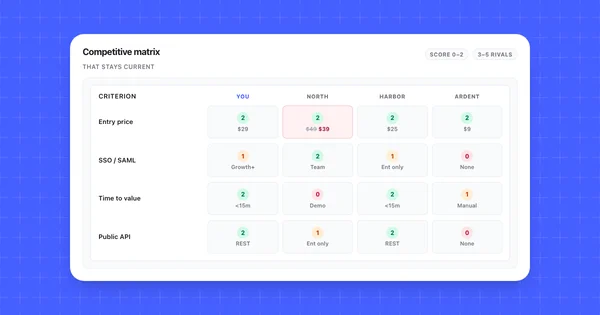
To turn this grid into a comparison you can read at a glance, build the scored grid.
Score the rivals for a small B2B sales team
Each rival gets 0, 1, or 2 per criterion based on the lowest listed price for the capability, and every score points to a cell in 03_features or 02_pricing.
The rule on 00_readme: 2 means listed on a plan at $12 or less per seat per month (yearly billing, free plans included). 1 means listed only on a pricier plan, an add-on, or Enterprise. 0 means not listed or not stated.
| criterion | Calendly | Cal.com | SavvyCal | one_line_fact | source |
|---|---|---|---|---|---|
| Round robin | 1 | 2 | 2 | Teams $16 / Teams $12 / Basic $10 | 03_features, 02_pricing |
| Routing forms | 1 | 2 | 0 (verify) | Teams $16 / Teams $12 / not stated on pages read | 03_features |
| Salesforce | 1 | 2 | 0 | Teams $16 / Free / not listed in directory | 03_features [S5] |
| HubSpot | 2 | 2 | 0 (verify) | Standard $10 / Free / "CRM integrations" on Basic, HubSpot plan not stated | 03_features [S5] |
| API / webhooks | 0 (verify) | 2 | 2 | not stated on pricing page / Teams $12 / Basic $10 | 03_features [S2] |
| SSO / SAML | 1 | 1 | 0 (verify) | Teams add-on / Organizations $28 / not stated | 03_features |
Target line (the entrant's plan, hypothetical): under the scoring rule above, score 2 on round robin, HubSpot, and Salesforce sync at $12 per seat or less, and reach 2 on routing before claiming it on the pricing page.
There's no total row. A sum would count Calendly's 0 on an unassignable API cell the same as SavvyCal's 0 on a missing Salesforce listing. If leadership wants one number, use weighted benchmarking and show the weights.
The 04_swot tab holds the thin layer of judgment. Here it covers Cal.com only, the top scorer, and each bullet points to a cell or is labelled a hunch.
| quadrant | notes (Cal.com) |
|---|---|
| Strengths | Free plan lists two-way Salesforce and HubSpot sync (03_features); Teams at $12 yearly with a 14-day trial (02_pricing) |
| Weaknesses | SSO and compliance sit on Organizations at $28 (03_features); monthly prices only in a homepage FAQ (02_pricing, Medium); closed source since 2026-04-14, and self-hosters get Cal.diy without the team features (overturned table below) |
| Opportunities | Hunch: changelog titles for v6.9 ("Workflows 2.0") and v6.9.5 ("Workflow delays") suggest automations are a focus |
| Threats | Calendly, the incumbent, has release notes dated 2026-09-28, 2026-09-30, and 2026-10-20, and its pricing page lists Callie, an AI scheduling assistant, in beta (release notes, 02_pricing) |
What the sources overturned
Reading the vendor pages on one day changed seven things a desk-research version of this analysis would have written down as settled. Each row changed a cell, a score, or a recommendation.
| cell | belief | what the source says | source | checked | effect on analysis |
|---|---|---|---|---|---|
| Cal.com license | Cal.com is open source | Closed source since a 2026-04-14 post (reason given: security); public code is Cal.diy (MIT), without Teams, Organizations, Insights, Workflows, SSO/SAML | Cal.com blog, Cal.diy README | 2026-10-24 | Self-hosting moves from a Cal.com strength to a weakness |
| Cal.com price | Cal.com costs $16 / $37 | Pricing page: $12 / $28 yearly; $16 / $37 only in homepage FAQ, no period | cal.com/pricing, cal.com | 2026-10-24 | Two price columns, two confidence levels |
| Calendly API | Calendly's API tier can be read off a vendor page | Pricing-table checkmarks are images; developer docs don't name a plan either way | calendly.com/pricing, S2 | 2026-10-24 | Scores 0 (verify) until a trial or a sales answer |
| Calendly label | Calendly's feature is called Workflows | 2026-09-30 release note: Automations, "previously Workflows" | calendly.com/release-notes | 2026-10-24 | Use the current label in the grid and talk tracks |
| Cal.com HIPAA | Cal.com's pages agree on which plan is HIPAA compliant | Organizations card lists HIPAA; the Enterprise page says it "offers a HIPAA compliant Enterprise plan" | cal.com/pricing, S4 | 2026-10-24 | Record both; ask which plan in a trial |
| SavvyCal cadence | SavvyCal's ship cadence can be measured | Changelog entries show no dates | changelog.savvycal.com | 2026-10-24 | Log a first-seen date on every check |
| Calendly AI | Calendly's AI add-ons have a list price | Notetaker "Not included" on Standard and Teams; no price for Notetaker or Callie | calendly.com/pricing | 2026-10-24 | "Not stated"; moved to watch list |
The Cal.com row matters most: an older comparison that praises "open source, self-host for free" now describes Cal.diy, which drops the team features a sales org would buy.
Findings and recommendations for the entrant
Round robin is listed from $10 to $16 per seat (yearly), and Cal.com lists two-way Salesforce and HubSpot sync on its free plan, so the hypothetical entrant can't win on the pricing-page checklist alone. The four findings below each cite the cells they rest on.
Finding 1: the round-robin price floor is $10 to $16 per seat
SavvyCal Basic is $10, Cal.com Teams is $12, and Calendly Teams is $16, all per seat per month on yearly billing (02_pricing, round robin row in 03_features). An entrant priced above $16 yearly needs a reason buyers can see on the page.
Finding 2: CRM sync has the widest spread
Cal.com lists two-way Salesforce and HubSpot sync on Free. Calendly lists HubSpot on Standard and Salesforce on Teams. SavvyCal lists HubSpot in its integrations directory and doesn't list Salesforce (03_features [S5]).
Finding 3: trust claims sit at different price points
Calendly lists SOC 2 Type 2 and ISO/IEC 27001 without stating plan scope. Cal.com puts SOC 2, HIPAA, and ISO 27001 on the Organizations card at $28 yearly. SavvyCal answers "Not yet. We'd love to earn these certifications eventually." If the entrant's buyers send security questionnaires, check scope before any of this goes into sales material.
Finding 4: entry motion splits two against one
Calendly and Cal.com both have free plans that take bookings, and Cal.com adds a 14-day trial on Teams and Organizations (01_overview). SavvyCal needs Basic or Premium to take bookings, says "There's no self-serve trial," and offers a 30-day money-back guarantee.
Recommendations are judgment, so each carries a confidence and a next step.
| area | recommendation | based on (cells) | confidence | next verification step |
|---|---|---|---|---|
| Price | Price team scheduling at or below $16 per seat yearly, or show a visible reason to pay more | 02_pricing Teams / Basic rows |
High on prices, Medium on the call | Re-check all three pricing pages before launch |
| CRM | Hold CRM sync out of the headline until depth is known | 03_features HubSpot, Salesforce rows |
Medium | Run a tier-2 trial of Cal.com Teams routing and Salesforce sync before choosing positioning |
| Trust | Publish a dated security page with plan scope on every claim | 03_features compliance row; HIPAA scope conflict |
Medium | Ask Calendly and Cal.com sales which plans their certifications cover |
| Entry | Offer a free plan that takes bookings, or a self-serve trial | 01_overview entry_motion |
Medium | Test findings in win-loss interviews with five recent evaluators |
Sample competitive analysis report (one page)
This is the one-page competitive analysis report example the PMM would send leadership. It compresses the tabs above; the workbook stays the record.
Team scheduling for small B2B sales teams: competitor read
Prepared by the PMM for a hypothetical entrant. Rivals: Calendly, Cal.com, SavvyCal.
Summary. Rivals list round robin from $10 to $16 per seat (yearly), and Cal.com lists CRM sync for free, so a checklist won't set us apart. The open questions are what pages don't say: security scope, sync depth, AI add-on prices. Price at or under $16 and pick positioning after a trial of routing and Salesforce sync.
Findings
- Price floor: SavvyCal Basic $10, Cal.com Teams $12, Calendly Teams $16 (
02_pricing). - CRM: free two-way sync at Cal.com; Salesforce on Calendly Teams; no Salesforce listing at SavvyCal (
03_features). - Trust: Calendly scope not stated; Cal.com on Organizations at $28; SavvyCal "Not yet" (
03_features). - Entry: two free plans that take bookings; SavvyCal has no free booking and no self-serve trial (
01_overview).
Recommendations (judgment)
- Team plan at or below $16 per seat yearly.
- Trial Cal.com Teams routing and Salesforce sync before we pick a headline.
- Launch with a scoped, dated security page.
What to watch next
- Calendly Notetaker and Callie pricing (not stated on pricing page)
- Cal.com monthly prices: confirm $16 / $37 and their billing period
- SavvyCal SOC 2 status and first-seen dates on its changelog
- Cal.com's monthly changelog post (the last three were dated the 15th)
Confidence notes. All rival cells come from vendor pages. Cal.com monthly prices are Medium. Feature depth is unverified.
Rival facts checked 2026-10-24.
Keep the example current
Prices, plan gates, and AI add-ons go stale first, so re-check the three pricing pages every 30 days and the changelogs weekly. Security pages can wait 90 days.
| surface | URL | why watch | cadence |
|---|---|---|---|
| Calendly pricing | calendly.com/pricing | Plan prices, Notetaker and Callie pricing | Every 30 days |
| Cal.com pricing | cal.com/pricing | Yearly prices, a monthly toggle if one appears | Every 30 days |
| SavvyCal pricing | savvycal.com/pricing | Basic and Premium prices, trial policy | Every 30 days |
| Calendly release notes | calendly.com/release-notes | Dated entries, renames like Workflows to Automations | Weekly |
| Cal.com blog, Updates | latest: v6.9.5 post | Monthly changelog posts dated the 15th | Monthly, after the 15th |
| SavvyCal changelog | changelog.savvycal.com | Undated entries; log a first-seen date | Weekly |
Competiflow can hold this routine: add the three homepages, and monitors check the pricing pages and changelogs on a cadence. When a plan price changes, the field-level diff shows the old and new values, so you update the matching 02_pricing cell and its checked_date without re-reading the page. Each page read uses one check.
See how to monitor competitor pricing pages. When sales wants a talk track, turn one rival's column into a battlecard.
Frequently Asked Questions
What is included in a competitive analysis?
A competitive analysis includes a rival overview, a pricing tab, a feature grid, a short SWOT, and a scorecard, with a source and check date on every fact. This page shows each one filled for three real scheduling tools.
How do you write a competitive analysis report?
Write a competitive analysis report after the fact tabs are filled, and keep it to one page. Open with a short summary, list findings that each point to a sourced cell, add recommendations labelled as judgment, and end with what to watch next.
How many competitors should a competitor analysis include?
A competitor analysis should include three to five active competitors, each playing a different role. This example uses an incumbent, a challenger, and an indie option, with everyone else on 99_watchlist.
How do you find competitor pricing when it isn't on the pricing page?
When pricing isn't on the page, record exactly what the page says and mark the rest "not stated." Calendly Enterprise reads "Starts at $15k /yr" and Cal.com Enterprise reads "Custom," so that's what goes in the sheet. A price a buyer repeats from a sales call is logged as a Low-confidence lead, not a fact cell, until a page or a trial confirms it.
How do you use a competitor analysis in a business plan?
In a business plan, use the competitor analysis to show where your price and entry motion sit against named rivals, with sources an investor can check. Lift the pricing comparison and two or three findings, keep the workbook as an appendix, and label your own position as a plan.
What is the difference between a competitor analysis example and a template?
A competitor analysis template is the blank workbook, and an example is the same workbook filled with real, sourced cells. Use the template for setup and this page to see "not stated" and Medium cells in practice.
How often should you update a competitor analysis?
Update prices and plan gates in a competitor analysis at least every 30 days, changelogs weekly, and security claims every 90 days. A price cell older than 30 days counts as unverified until someone re-opens its URL.
Is a SWOT analysis the same as a competitor analysis?
A SWOT analysis is one tab inside a competitor analysis. The SWOT holds judgment, while the overview, pricing, and feature tabs hold the sourced facts it points to.
Copy the competitor analysis template, keep these tab names, and fill in your own three rivals on one day. Write "not stated" wherever a page is silent, and mark confidence on every price you had to reason your way to.
Then write the one-page report. If a finding can't point to a cell, it goes back to the workbook until it can.